
Connect a real-time AI avatar to a RAG pipeline by keeping retrieval and answer generation in your existing agent, then sending only the approved speech output to the avatar layer. The application should retain source citations, permissions, tool state, and conversation memory so the visible avatar never becomes the system of record.
Key takeaways
- Keep document ingestion, retrieval, ranking, and grounding in the agent stack.
- Create separate fields for spoken text, displayed text, citations, and workflow state.
- Stream only after the answer has passed your permission and safety checks.
- Design visible waiting and recovery states for slow or failed retrieval.
Keep retrieval outside the avatar layer
RAG combines a generator with retrieved evidence. The original Retrieval-Augmented Generation paper describes the model as using external non-parametric memory rather than relying only on weights. In a SaaS product, that memory may contain private documents, account data, or approved help content. It belongs behind your application’s access controls.
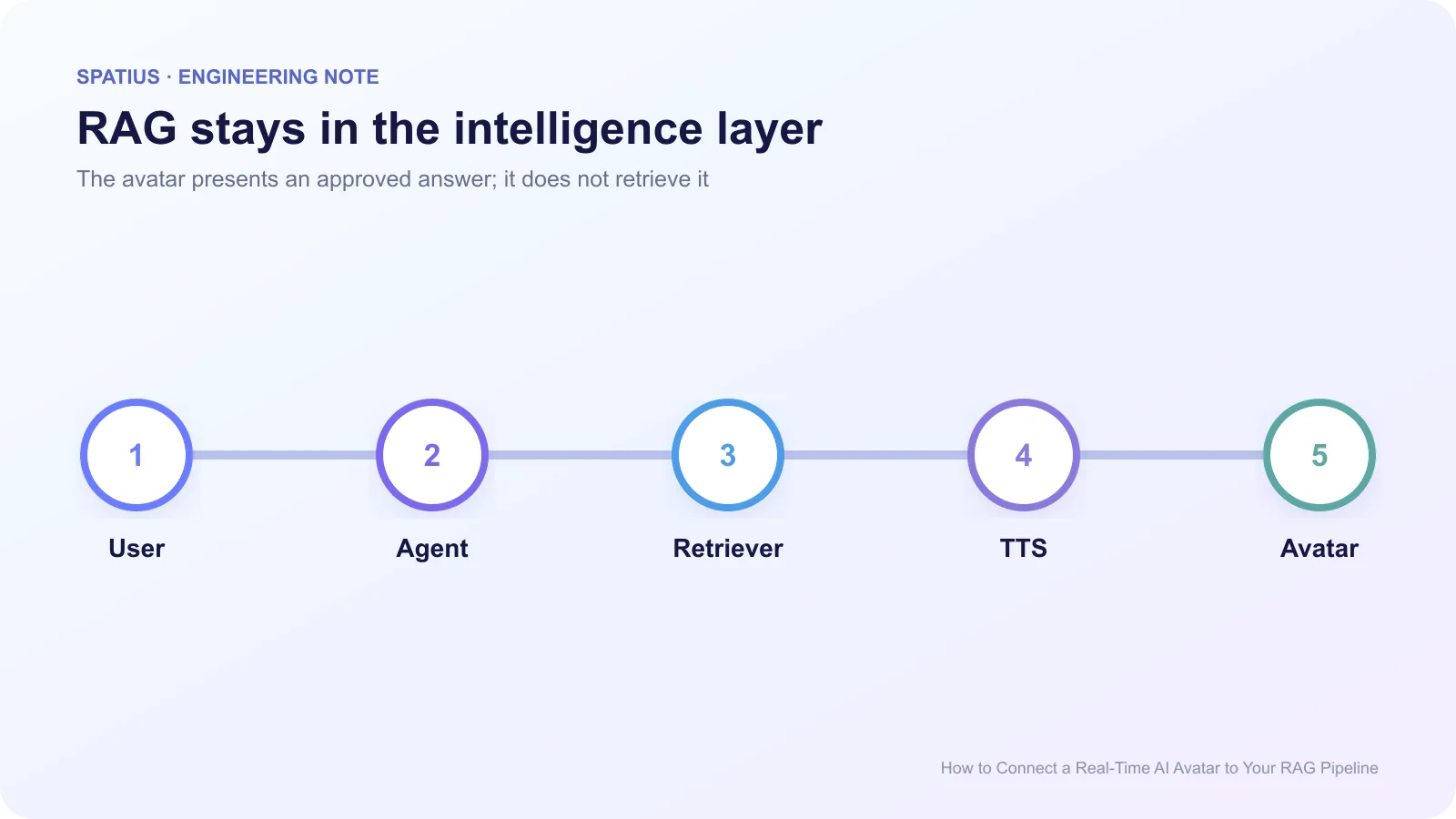
A clean path is: user input → agent → authorization → retrieval → answer with sources → response policy → TTS → avatar presentation. OpenAI’s retrieval guide and LangChain’s RAG tutorial both focus on retrieval and generation. Neither requires the visual interface to own the knowledge base.
LlamaIndex’s citation query engine example shows one pattern for preserving source nodes beside an answer. Keep that evidence in the application response instead of flattening it into speech.
This boundary also makes replacement easier. You can change the vector store, embedding model, LLM, or reranker without rebuilding the avatar experience. And you can test answer quality in text before adding speech and motion.
Create a response contract before adding speech
Do not pass one long string through every layer. Define an application-owned response object with at least: speechText, displayText, citations, status, and canInterrupt. Add toolResult or handoff only when the workflow needs them.
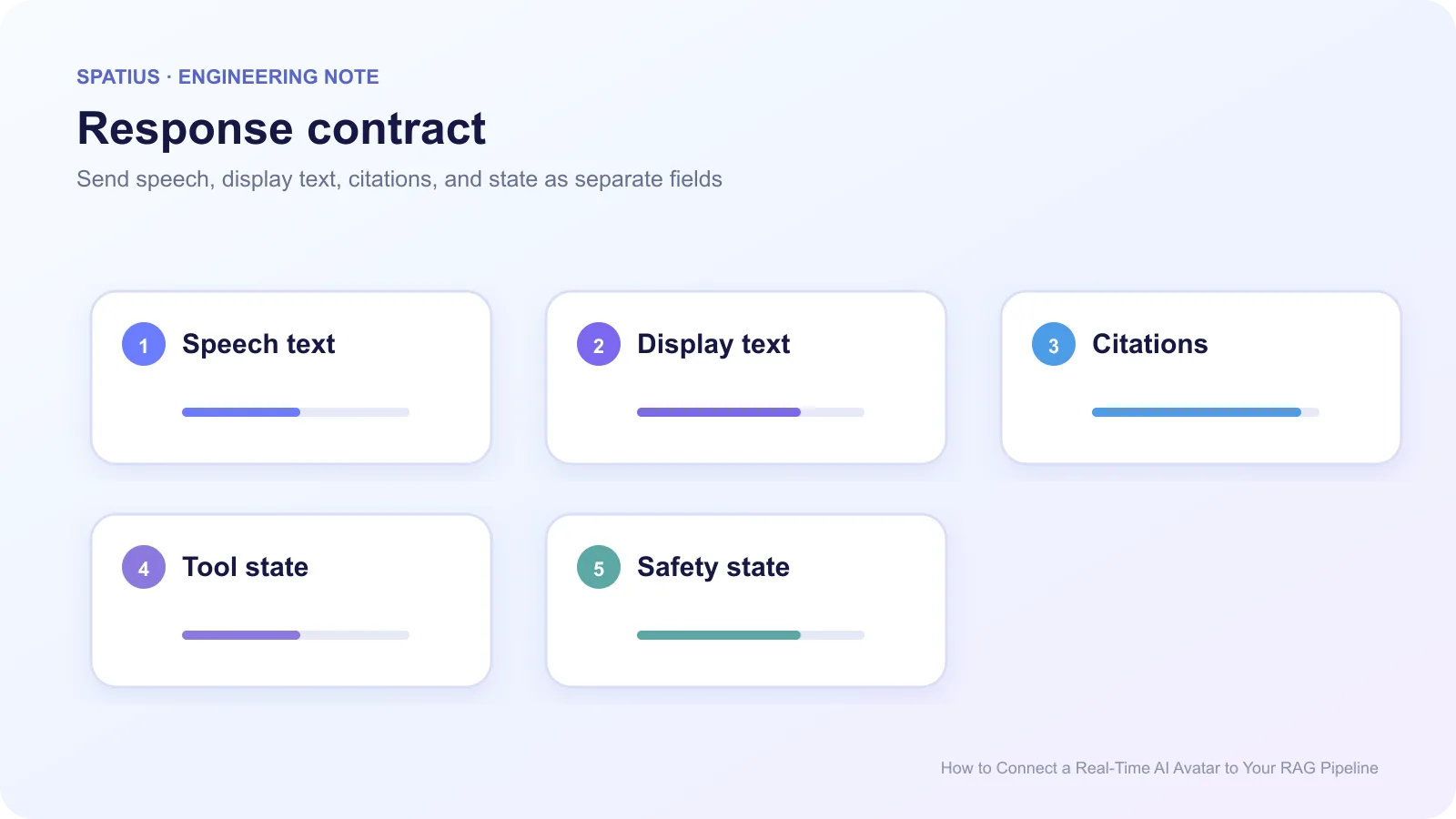
Spoken text should be shorter than displayed text. Reading a URL or a six-line citation aloud is a poor experience. Show source titles and links beside the avatar while the voice gives the answer. Pinecone’s explanation of RAG architecture is a useful reminder that retrieval produces context, not a guarantee of truth. Your UI should still make evidence inspectable.
Apply permissions before retrieval and speech
Filter the retrievable corpus by tenant, user, role, region, and document state before the model receives context. Do not retrieve broadly and ask the LLM to hide unauthorized passages. The OWASP guidance on prompt injection explains why instructions inside retrieved content can alter model behavior.
Treat tool calls separately from knowledge retrieval. A support answer may cite a policy document, while a refund action requires a permission check and an idempotent transaction. Anam’s article on avatar tool-call debugging shows why tools need their own arguments, results, timing, and error record.
Anthropic’s tool-use documentation and OpenAI’s function-calling guide both separate the model’s requested call from the application’s execution. Preserve the same separation when the result will be spoken by an avatar.
Handle streaming without speaking too soon
Streaming the first model tokens directly into TTS reduces delay, but it can also vocalize an answer before citations, safety checks, or tool results arrive. Use a sentence buffer or an application approval gate. The exact buffer depends on your TTS and latency target; do not hard-code one value for every language.
Use the NIST AI Risk Management Framework to document who reviews grounding, permissions, unsafe output, and human escalation. The avatar is the delivery surface, so errors can sound more confident than they looked in a draft text box.
If retrieval takes longer than expected, the avatar should not invent filler. Show a truthful state such as “Checking your workspace” only if the application knows that retrieval is running. The Spatius guide to waiting, errors, and human handoffs covers this product boundary.
Connect the approved audio to Spatius
Spatius is the presentation layer in this architecture. Motion Server receives avatar speech audio and returns motion data; AvatarKit renders locally. The Spatius Developer Docs Map states that ASR, LLM, TTS, retrieval, tools, and policy remain outside Spatius.
If your existing backend already owns RAG and TTS, compare Direct Mode and Backend Mode. Direct Mode lets the client send avatar speech audio directly to Motion Server. Backend Mode gives your backend more control over the runtime and downstream transport.
The guide to adding an avatar to an existing SaaS agent explains how to keep customer context in the product rather than treating the visual layer as the source of truth.
Frequently asked questions
Should the avatar speak citations aloud?
Usually no. Speak a short attribution when it helps, then show linked sources in the interface.
Where should conversation memory live?
Keep it in the application or agent layer that already owns identity, permissions, retention, and retrieval. The avatar can reflect state but should not become the authoritative memory store.
Can I test RAG without the avatar?
Yes, and you should. Evaluate retrieval relevance, grounding, permissions, and tool behavior in text first. Then test whether speech and motion preserve the answer’s meaning.