
Recover an AI avatar session after a network drop by preserving the application task state, detecting the actual connection failure, retrying with bounded backoff, and restoring only the presentation state that is safe to resume. Never replay a tool action or repeat spoken output merely because the visual connection was rebuilt.
Key takeaways
- Keep business task state outside the avatar connection.
- Distinguish offline hints, transport failure, token expiry, and server rejection.
- Cap retries and offer audio, text, restart, or exit.
- Make actions idempotent before automatic resume.
Separate presentation state from task state
The avatar connection is temporary. A booking, support case, form, or payment workflow needs a durable application state that survives tab reloads and transport changes. Microsoft Azure’s Retry pattern distinguishes transient faults from failures that require a different response. Apply that distinction before reconnecting.
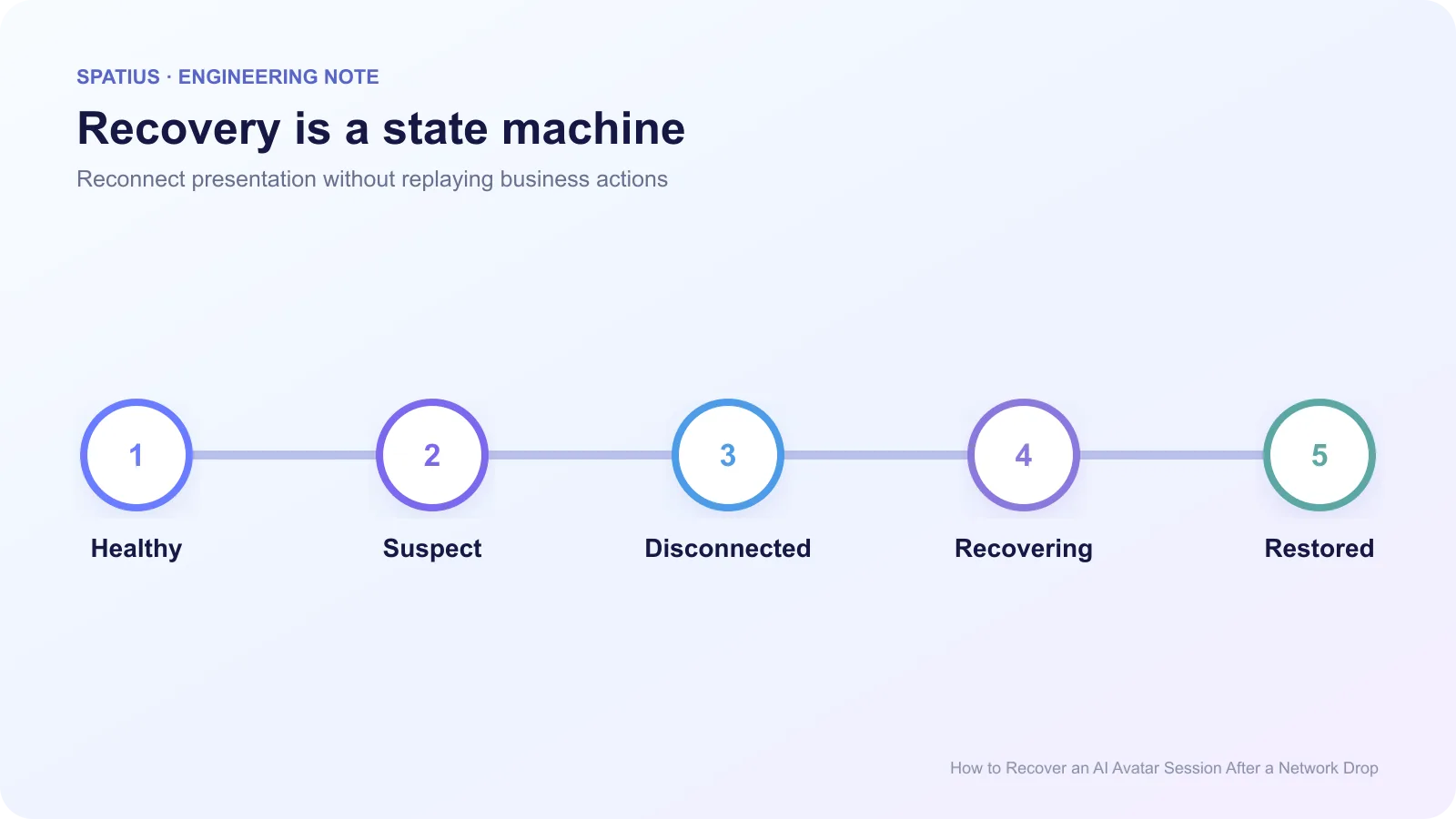
Record whether the last agent turn was generated, whether TTS completed, whether speech started, and whether a tool action was accepted. A presentation reconnect must not cause a second refund, booking, or database write. Use idempotency keys for actions that may be retried.
Stripe’s explanation of idempotent requests is a clear example: the client supplies a stable key so a repeated request does not create a second operation.
Detect the real failure
Browser online and offline events are only hints. MDN notes that a device may be connected to a local network without internet access. Confirm the WebSocket or RTC state and, where appropriate, a lightweight application endpoint.
For WebSocket paths, save the close code, reason, and whether the close was clean. The CloseEvent reference exposes these fields. Authentication errors, policy violations, malformed payloads, and capacity limits should not enter the same retry loop.
Track the socket’s readyState as an implementation signal, but pair it with application state. An open socket does not prove that the current avatar turn is recoverable.
RTC paths may need ICE recovery rather than a full session restart. MDN’s ICE restart guide explains how renegotiation can seek a new network path while keeping the peer connection object.
Use bounded backoff and a recovery deadline
Retry transient failures with exponential backoff plus random jitter so thousands of clients do not reconnect together. The AWS Builders’ Library explains why retries can amplify an outage and why clients need limits.
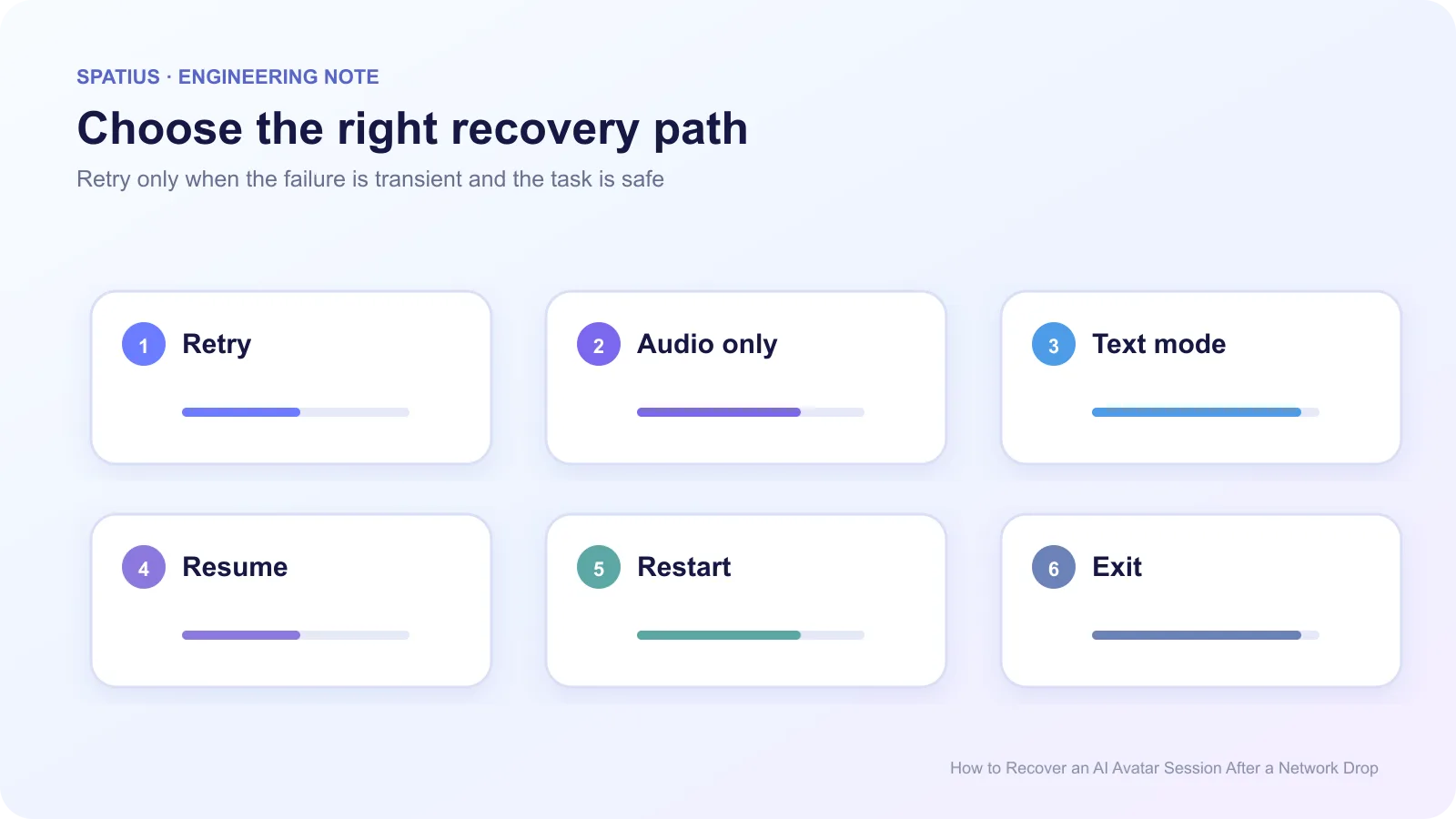
Set a user-facing deadline. A product might attempt quick reconnects for several seconds, then switch to audio or text. Do not keep the avatar frozen behind an endless spinner. Show “Reconnecting” only while a reconnect attempt is actually active.
Google’s SRE guidance on handling overload explains why shedding work and failing predictably can protect the broader service during a surge or reconnect storm.
Resume from a safe boundary
After the connection returns, choose one of four outcomes:
- resume the current audio and motion only when both share a recoverable timeline;
- discard the partial presentation and speak a short restatement;
- continue in text or audio-only mode;
- restart the avatar session while preserving the product task.
Do not replay a long answer from the beginning without telling the user. If the user heard part of it, a concise summary is usually less frustrating. Save the visible transcript separately so they can inspect what was already produced.
Test network transitions before launch
Run scenarios for Wi-Fi to mobile, laptop sleep, background tabs, router restart, token expiry, 30 seconds offline, and repeated flapping. Capture state transitions and recovery time. Chrome DevTools supports offline and throttled profiles, but real device tests are still needed.
Include recovery in load testing. A reconnect storm can be more damaging than steady traffic. The circuit-breaker pattern can stop clients or backends from repeatedly calling an unhealthy dependency; Microsoft’s Circuit Breaker pattern describes the open, half-open, and closed states.
Record the recovery outcome in the same trace used for production operations. The existing Spatius guide on monitoring a real-time avatar separates connection symptoms from durable task outcomes.
Recovery in Spatius integrations
Spatius converts avatar speech audio to motion data and AvatarKit renders locally. Your application owns the durable task, agent state, tools, and user recovery. See the Developer Docs Map.
In Direct Mode, AvatarKit connects to Motion Server from the client. The current documentation describes an audio-only fallback if the Motion Server WebSocket does not connect within the specified window. Treat that as presentation behavior, then design task-level retry and messaging in your own product.
For broader UX states, use the existing guide to waiting, errors, and human handoffs.
Frequently asked questions
Should the avatar automatically repeat its last answer?
Only if the application knows it was not presented and replay is harmless. Otherwise offer a summary or let the user choose.
When should we stop retrying?
Stop after the configured attempt or time limit, or immediately for non-transient errors. Always provide a usable next step.