
The bandwidth needed by a real-time AI avatar depends on its delivery architecture. Cloud-rendered video sends compressed frames continuously, while a client-rendered system can send audio and compact motion data after loading avatar assets. Measure the full application path, including protocol overhead, retries, agent traffic, and asset downloads, under representative network conditions.
Key takeaways
- Identify whether the avatar output is video, motion data, or a hybrid before estimating bandwidth.
- Separate one-time asset loading from steady-state session traffic.
- Record uplink and downlink, median and p95, plus reconnect traffic.
- Test jitter and packet loss; bandwidth alone does not describe a usable session.
Start with the architecture
A video-streamed avatar has a familiar media profile: encoded video and audio travel to the client. Bitrate changes with resolution, frame rate, codec, scene complexity, and congestion control. WebRTC’s codec and media model helps explain why one provider’s Mbps figure cannot be applied to another configuration.
A locally rendered avatar may download a larger asset at startup, then receive speech audio and motion data during the session. That shifts cost from sustained video transport to initial loading and client rendering. Compare both the first session and a warm-cache session.
Build a simple bandwidth budget
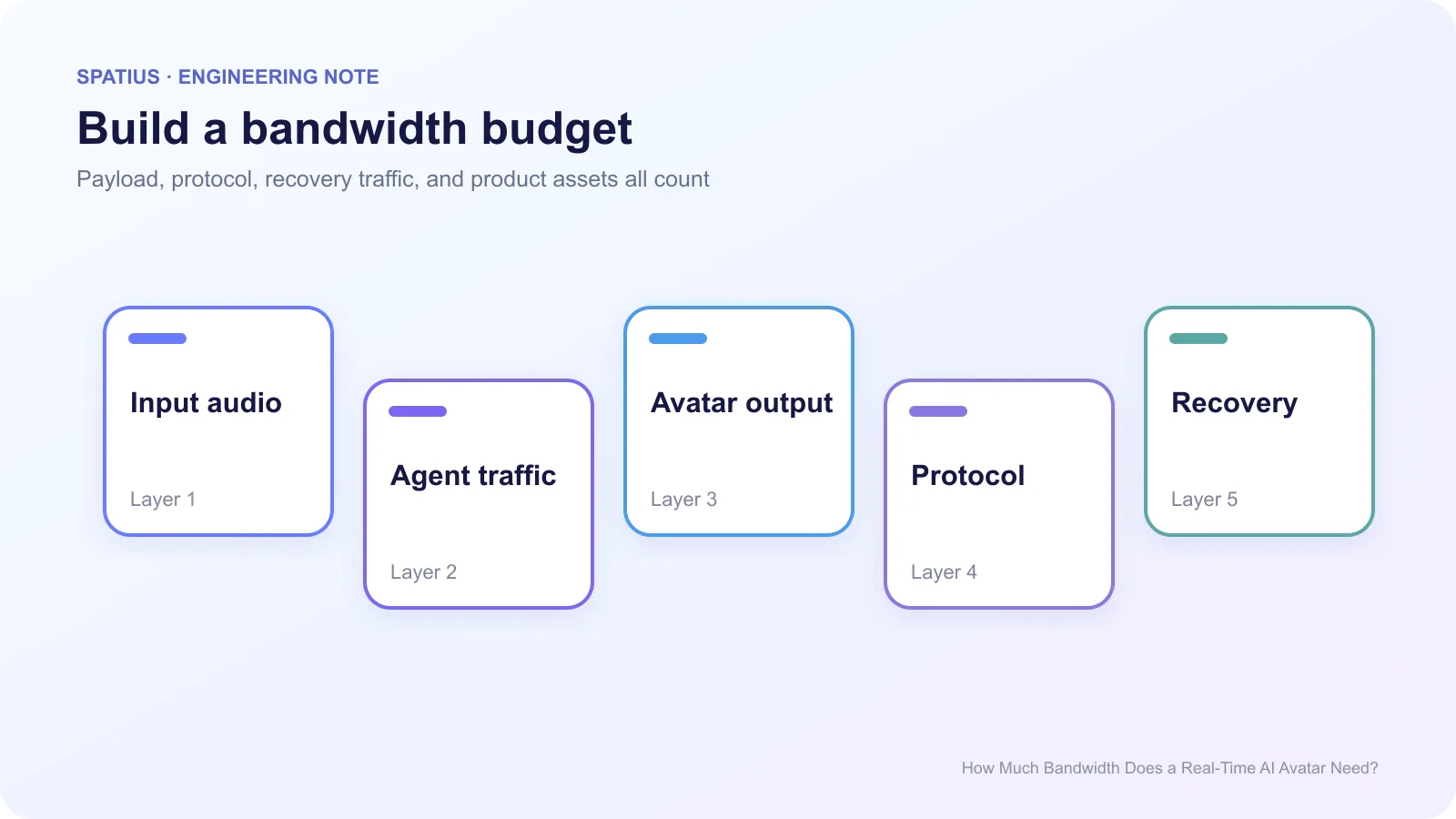
List each stream by direction and lifecycle:
- microphone or user input upload;
- ASR, agent, retrieval, and tool traffic;
- TTS or avatar speech audio;
- avatar video or motion output;
- telemetry, keepalives, retries, and token requests;
- avatar models, textures, WASM, and UI assets.
Protocol headers and encryption add overhead beyond raw payloads. For WebSocket applications, messages are framed according to RFC 6455. RTC adds RTP, RTCP, ICE, DTLS, and congestion-control behavior. Do not estimate total traffic from an unframed PCM calculation.
The RTP specification also separates media transport from the control information used to assess delivery quality. Both contribute traffic during an RTC session.
Measure instead of copying a vendor number
Run the actual product for ten minutes and capture bytes sent and received. Chrome DevTools can inspect network requests and export a HAR for HTTP traffic. Application counters are still needed for WebSocket payloads and native SDKs.
For RTC paths, use RTCPeerConnection.getStats and record bytes, packets lost, jitter, round-trip time, frames decoded, and frames dropped. The WebRTC Statistics specification defines the fields, but your application must sample and interpret them.
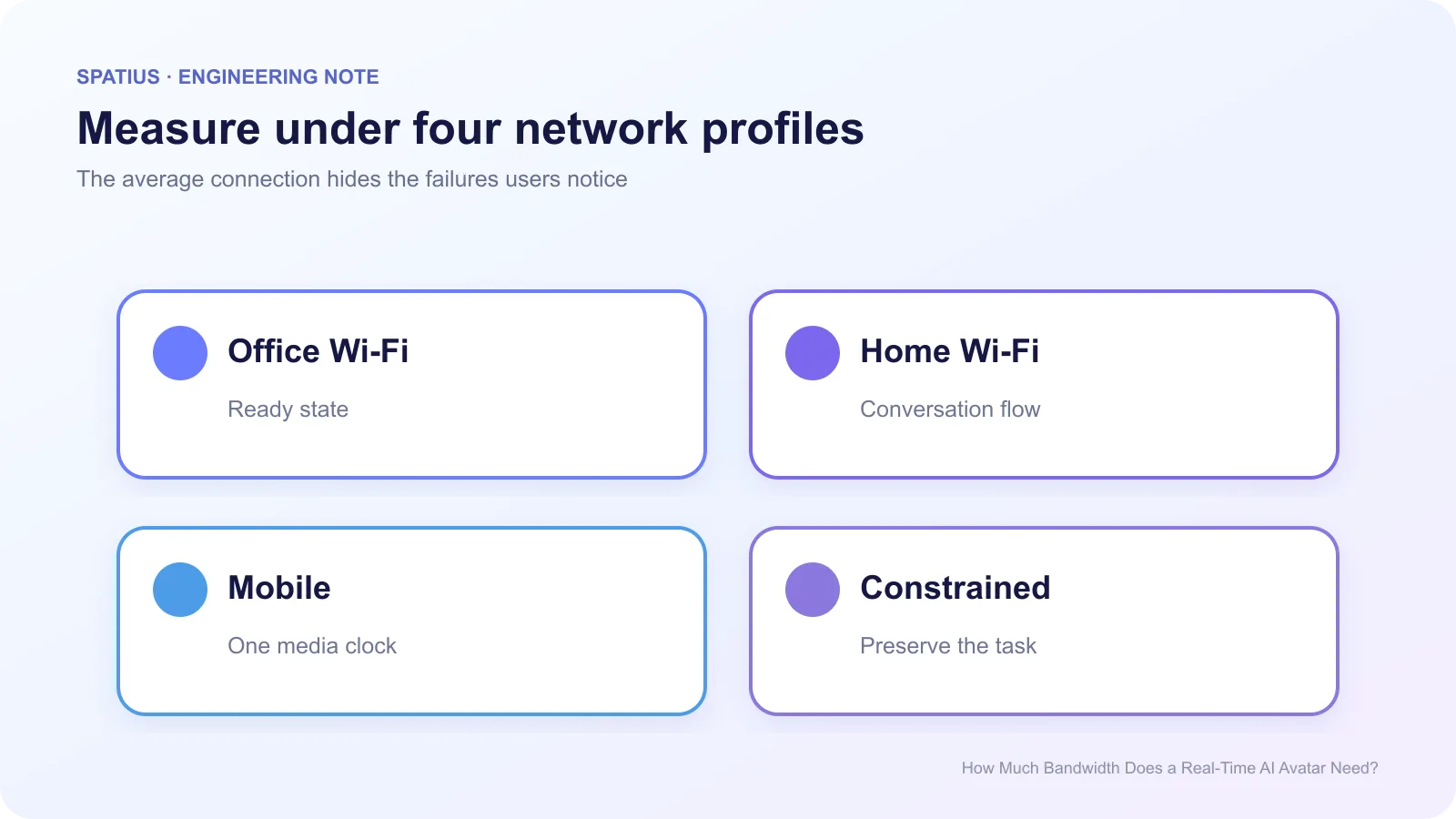
Test at least office Wi-Fi, home Wi-Fi, mobile data, and a constrained profile. Chrome supports network throttling, but a real mobile network adds handoffs and variable radio conditions that a fixed throttle cannot reproduce.
Where supported, the browser’s Network Information API can provide connection hints. Treat them as adaptive signals, not a substitute for measuring the avatar path itself.
Bandwidth is not the same as resilience
A stream can fit within the available throughput and still fail because packets arrive unevenly. Jitter buffers trade delay for smoother playback. Packet loss may trigger concealment, retransmission, lower quality, or a reconnect depending on the transport.
The open guide WebRTC for the Curious explains how jitter, loss, and congestion interact beneath a real-time media application.
Track session startup, stalls, audio-motion drift, reconnects, and fallback use beside bytes per second. The user’s question is not “did the average bitrate fit?” It is “could I finish the task without the avatar freezing?”
Estimate monthly transfer carefully
Use measured steady-state downlink and uplink, multiplied by session seconds and realistic concurrency. Add cold asset downloads, retries, failed starts, monitoring, and regional egress. Keep decimal and binary units consistent. Cloudflare’s explanation of bits and bytes is a useful check when spreadsheets mix Mbps and MB.
Do not turn transfer volume directly into provider cost. Some vendors charge per minute, some by credits, and some include bandwidth inside a session price. Model the invoice terms separately from network consumption.
Compare that measured traffic with the Spatius article on on-device versus cloud avatar architecture rather than treating all avatar APIs as video streams.
Measuring Spatius traffic
Spatius Motion Server receives avatar speech audio and returns motion data; AvatarKit renders locally. The Developer Docs Map describes that architecture. It does not return a finished video stream.
Use the Spatius Playground for an initial browser observation, then measure inside your selected integration. Direct Mode and Backend Mode place transport responsibility in different components, so capture the path you plan to ship.
Frequently asked questions
Can I publish one minimum bandwidth number?
Only after defining the architecture, quality, device, region, and acceptable failure rate. A single number without those conditions is misleading.
Should avatar assets count?
Yes. Report cold-start transfer separately from steady-state traffic so teams can plan both first use and repeat sessions.
What matters after bandwidth?
Measure jitter, packet loss, time to first audio, time to first motion, stalls, and recovery. Together they describe whether the connection is usable.