

“AI avatar API” and “AI video generation API” sound similar, but they answer different product requirements. One can support an avatar inside a live product interaction; the other typically creates a finished media asset for review, publishing, or reuse.
For a SaaS team, the useful question is not which label sounds more advanced. It is: does this journey need an in-product avatar runtime, a rendered video asset, or two separate workflows?
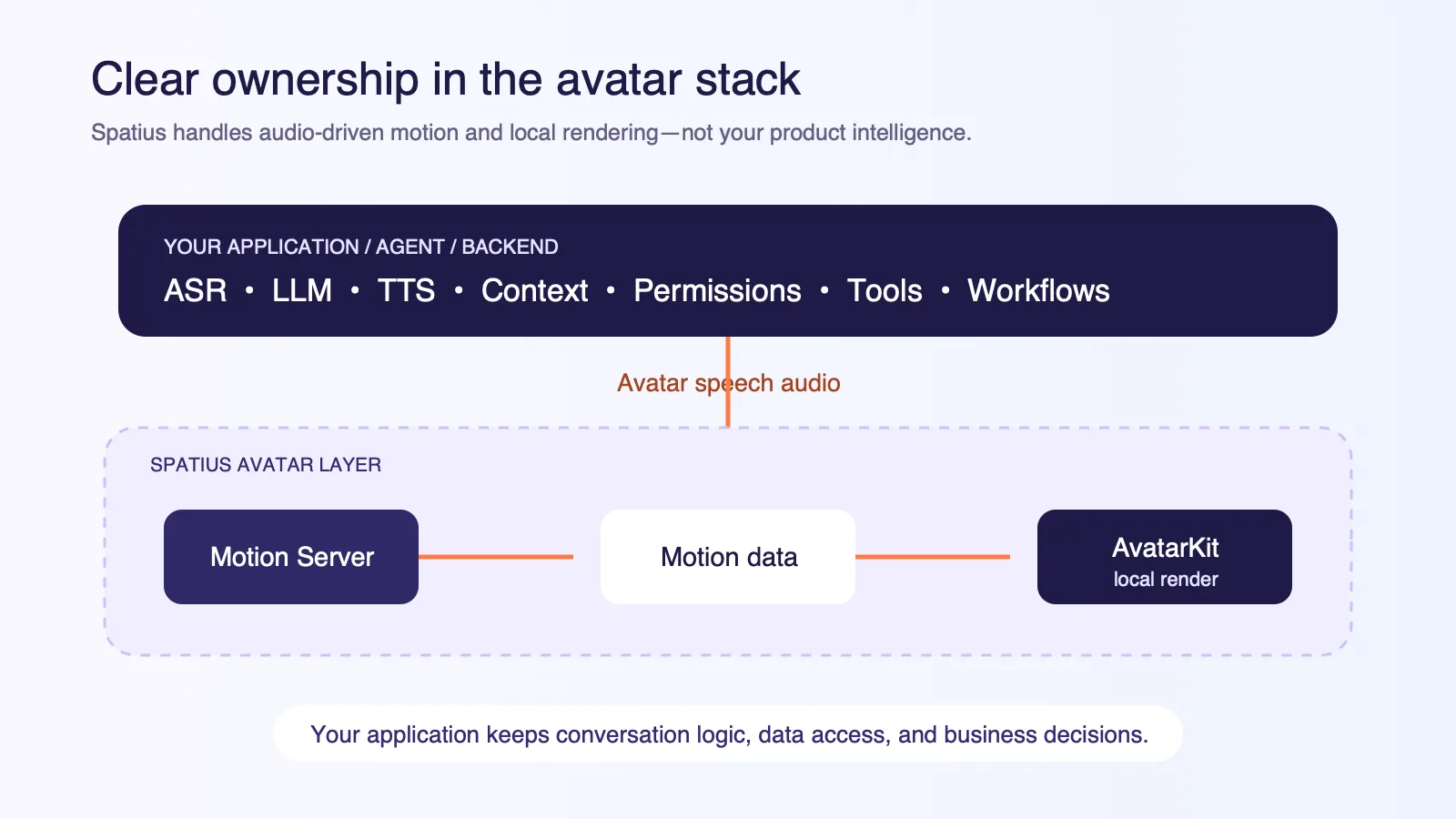
Spatius is a real-time avatar interaction layer. Motion Server receives approved avatar speech audio and returns motion data. AvatarKit renders the avatar locally in the client. Spatius does not return a finished video. Your application, agent framework, or backend remains responsible for ASR, LLM, TTS, context and retrieval, permissions, tools, workflows, decisioning, and human handoff. The Spatius Docs Map is the canonical source for the current product boundary.
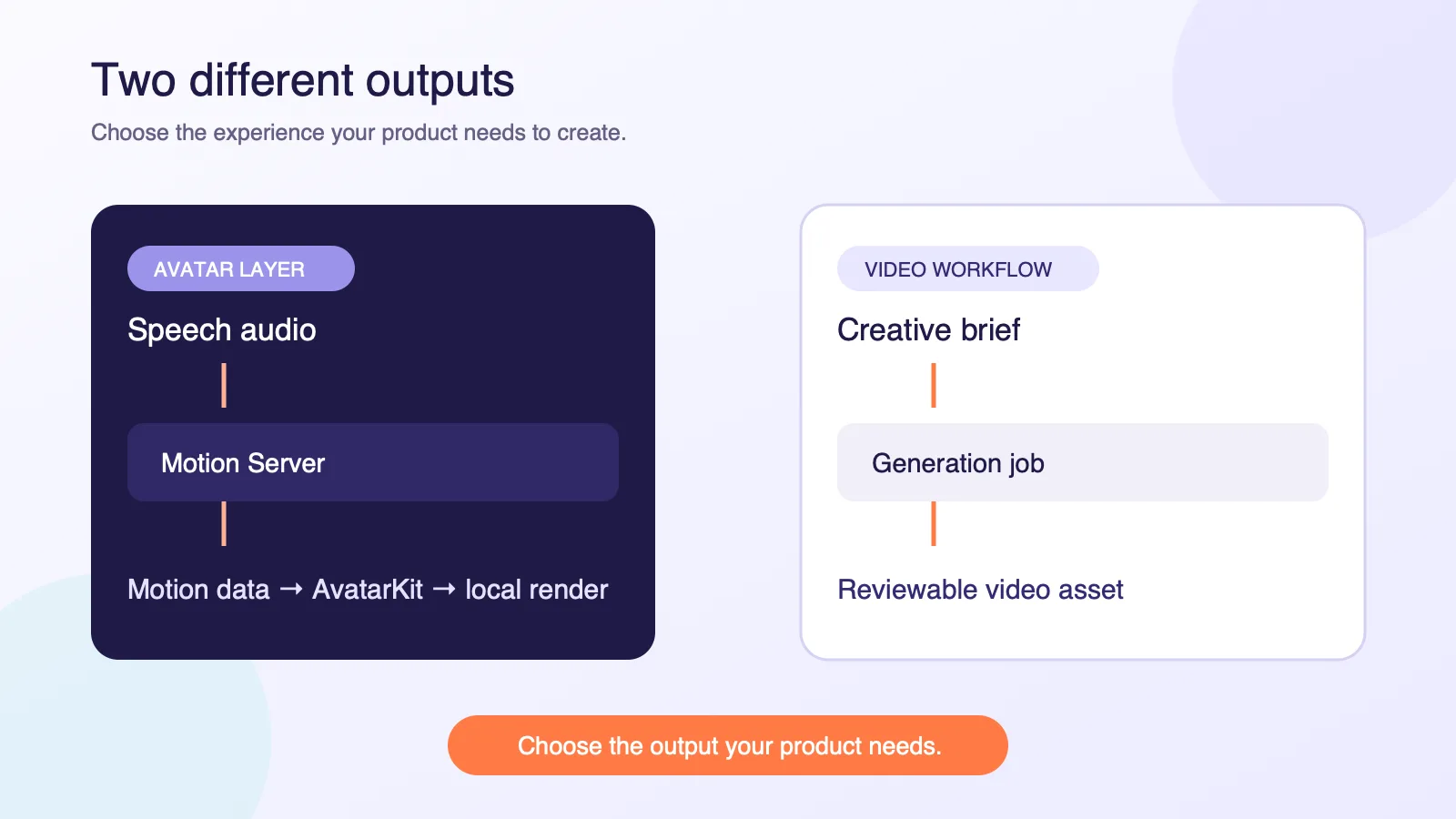
Compare the output, not the API label
An API is a way to access a system. It does not tell you what the system must produce. Start with the concrete output the user journey needs.
| If your product needs… | Start by evaluating… | The deciding question |
|---|---|---|
| A presenter that responds inside an active product flow | A real-time avatar interaction layer | How will application speech and context drive the avatar? |
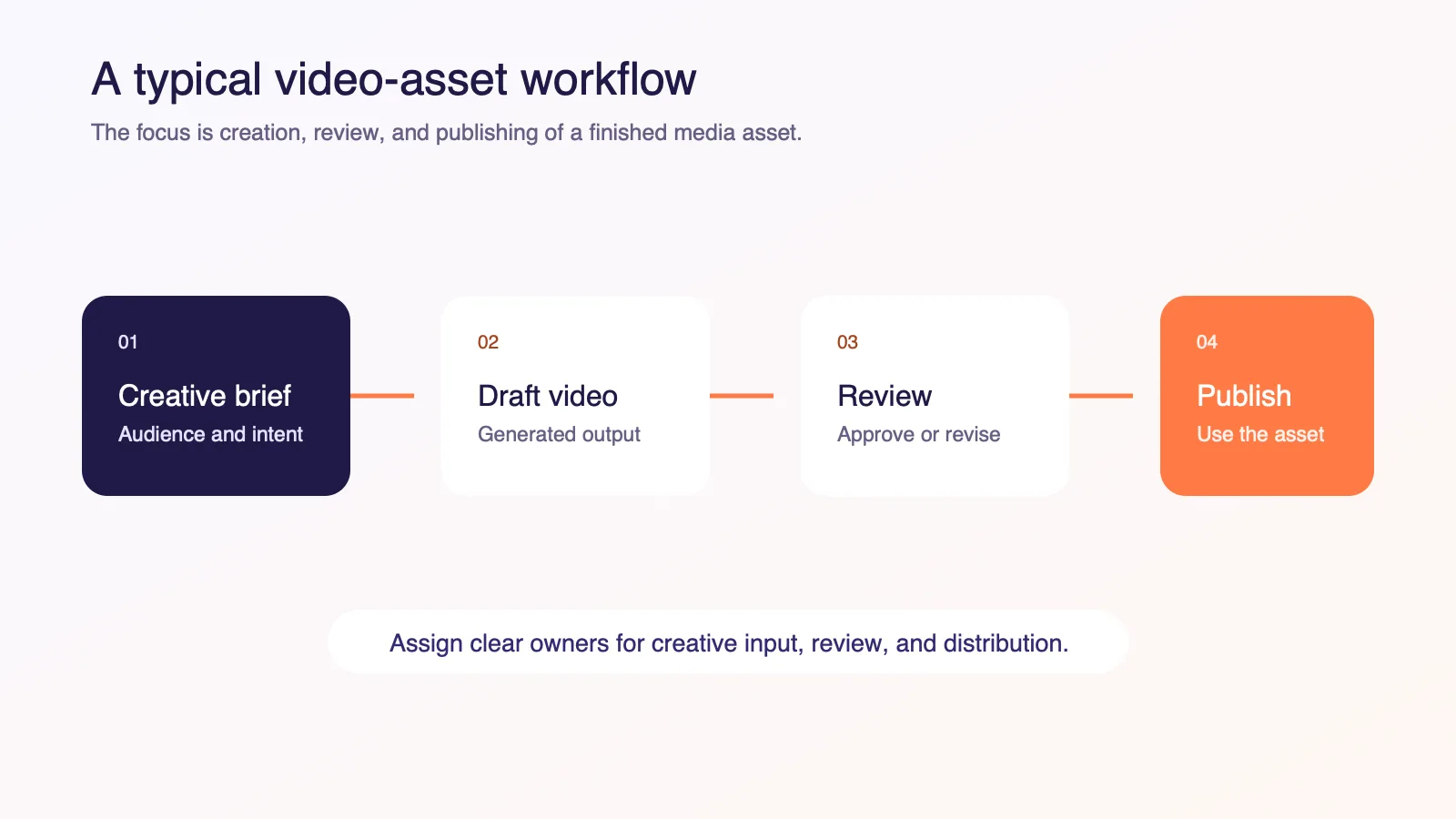
| A campaign clip, tutorial asset, or generated scene | A video-generation workflow | How will the team create, review, approve, and publish the asset? |
| Both | Two connected but distinct workflows | Where does each output belong in the customer journey? |
A real-time avatar interaction layer
An avatar interaction layer is relevant when a person-shaped interface is part of the product experience. Your application decides the response, creates or selects the avatar speech audio, and retains control of the surrounding workflow. The avatar layer supplies the motion and presentation responsibilities it documents.
This model can fit guided onboarding, interactive product education, practice conversations, or a customer-facing assistant. It is an interface layer, not a substitute for the intelligence or policy behind the interaction.
An AI video-generation workflow
Video-generation workflows are usually designed around a media artifact: a scene, clip, explainer, or campaign asset. Provider capabilities vary, but the product contract is fundamentally different: a team creates an asset, reviews it, stores or distributes it, and may reuse it elsewhere.
That is useful for creative production and publishing. It is not automatically a replacement for an in-product avatar that must participate in a live, application-controlled interaction.
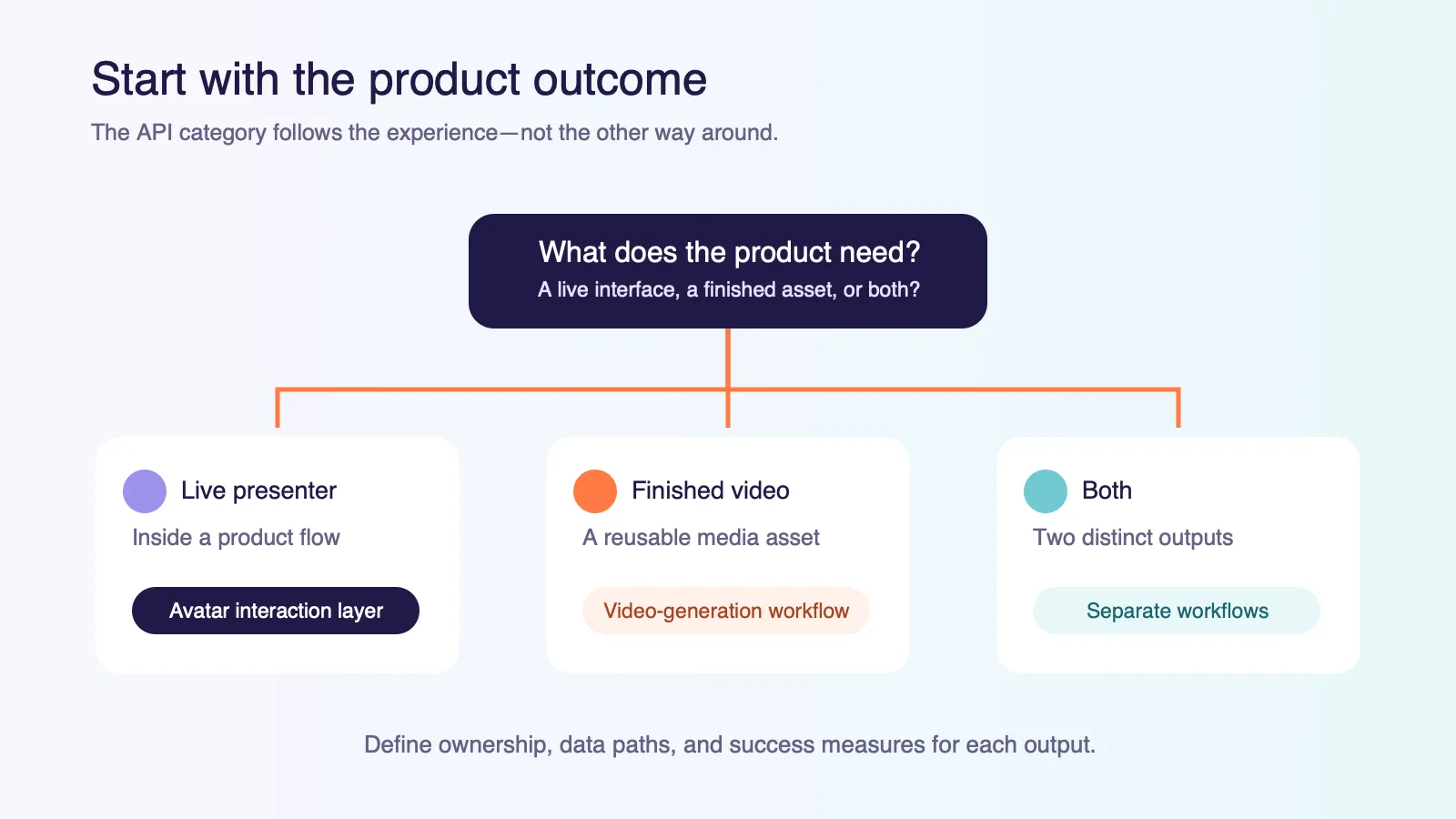
Choose from the user journey backward
The difference becomes clearer when you describe the user’s job rather than the technology category.
| User journey | Better starting point | Why |
|---|---|---|
| A trial user needs help completing setup in the product | Avatar interaction layer | The avatar can present speech generated by the application while the app controls the steps and permissions. |
| A marketing team needs a reusable launch asset | Video-generation workflow | The workflow is centered on producing, reviewing, and publishing a media artifact. |
| A learner needs an interactive practice scenario | Avatar interaction layer | The product owns the scenario, scoring, policies, and response logic; the avatar presents the approved speech. |
| A team needs several visual variants to select from | Video-generation workflow | Asset review and selection are the central jobs. |
It is common for one SaaS company to use both. For example, a team might create a video asset for a launch campaign while using an avatar layer inside the product’s onboarding or support flow. The cleanest design is to keep the two outputs, approvals, and measures separate.
How Spatius fits into an avatar integration
Spatius has a deliberately narrow role. That makes it easier to add an avatar without moving product intelligence into the presentation layer.
| Your application, agent, or backend owns | Spatius provides |
|---|---|
| ASR, LLM, TTS, turn-taking, interruption behavior | Motion Server receives avatar speech audio and returns motion data |
| Context, retrieval, data access, permissions, tools, workflows, and handoff | AvatarKit renders the avatar locally in the client |
| Product UI, business rules, analytics, and user controls | Documented integration components for the chosen path |
This is why “avatar API” should not be read as “agent API” or “video-generation API.” You can keep an existing voice or agent stack and introduce a visual avatar layer around speech your application has already approved.
Match the integration path to your architecture
The right transport and connection model depend on where your application creates speech and where it needs the avatar to appear. Do not choose an architecture just because a category page describes all real-time experiences in the same way.
Direct Mode for client-side avatar rendering
In Direct Mode, your backend creates a Session Token. AvatarKit in the client connects to Motion Server over WebSocket, sends avatar speech audio, receives motion data, and renders the avatar locally. The backend issues the token but is not the runtime relay for the audio and motion path.
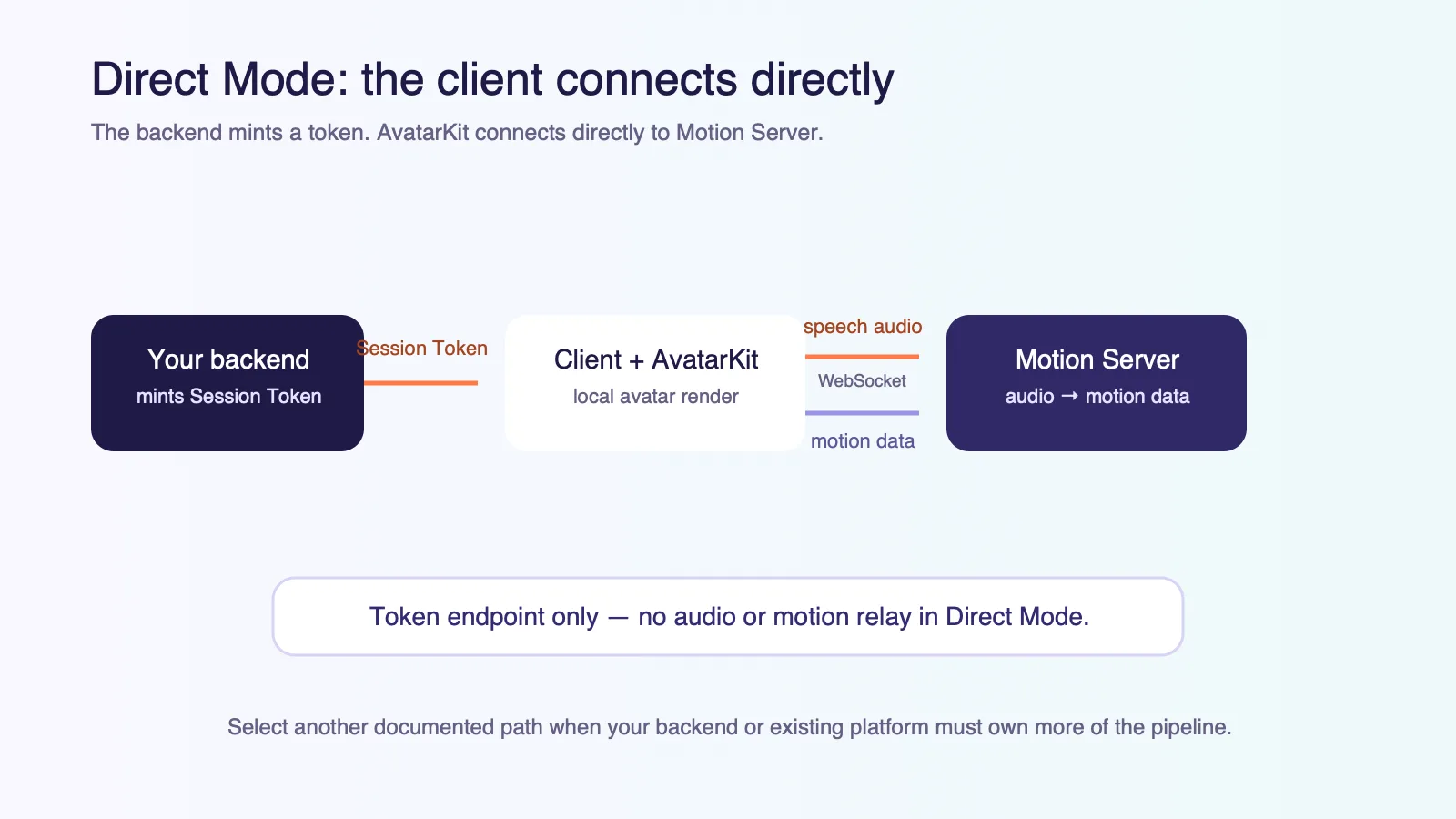
If your product needs a different architecture, use the developer documentation map to assess the current documented options. The goal is not to force every product into a common protocol; it is to align the avatar layer with the speech pipeline and user experience you already own.
Run a small proof of concept around the actual output
The most useful evaluation has a specific job to complete. It is not a generic “AI video” test.
For an avatar interaction layer, choose one moment such as onboarding, product education, or a practice flow. Map:
- what the product needs the user to accomplish;
- where the response text and avatar speech audio come from;
- which system may access the relevant context and tools;
- what users can control, interrupt, or hand off; and
- what outcome the application will measure.
For video generation, use a real content brief. Map the review, approval, storage, and publishing path for the final asset. The two exercises look different because the outputs have different owners and lifecycle requirements.
A concise decision checklist
Choose an avatar interaction layer first when:
- a live visual presenter belongs inside a product interaction;
- your application already owns—or should own—the agent and speech stack;
- the relevant output is motion data used for local avatar rendering, not a finished video file.
Choose a video-generation workflow first when:
- the team needs a rendered media asset for a creative or publishing process;
- review, approval, storage, and distribution are central to the workflow; and
- the experience does not depend on an avatar responding within an application-controlled interaction.
Evaluate both when the product legitimately contains both jobs. Keeping the line clear prevents the team from expecting a finished media asset from an avatar runtime, or expecting a video-creation workflow to carry live product logic.
FAQ
Does Spatius return a finished avatar video?
No. Motion Server receives avatar speech audio and returns motion data. AvatarKit renders the avatar locally in the client. See the Spatius Docs Map for the canonical architecture.
Does an avatar layer replace our AI agent or chatbot?
No. Your application, agent framework, or backend remains responsible for ASR, LLM, TTS, context and retrieval, permissions, tools, workflows, decisioning, and handoff.
Can one SaaS product use both an avatar layer and a video-generation workflow?
Yes. Use an avatar layer where the product needs an audio-driven, in-product presenter. Use a video-generation workflow where the product needs a created media asset. Give each output its own owner, review process, and success measure.
Discuss the output your product actually needs
If you are evaluating a real-time avatar interaction layer for an existing SaaS workflow, start by mapping the speech pipeline, product context, and client experience you already have.
Request a Demo to discuss the integration path for your product.