

An AI avatar can make a software interaction feel more human. That does not mean it should be ambiguous about what it is, what it can do, or whose instructions it is presenting.
For B2B SaaS teams, trust is created in the product details: a user can tell that they are interacting with an AI experience; they understand the role it is playing; they can choose another path; and the experience does not imply authority, approval, a human review, or an outcome that the product cannot verify.
The technical boundary matters here, too. In a Spatius integration, your application or agent framework owns the conversation logic, user context, permissions, knowledge, tools, workflows, turn-taking, and human-handoff policy. Spatius converts avatar speech audio into real-time motion data, and AvatarKit renders the avatar locally in the client. Spatius does not return finished video. The Developer Docs Map is the current source of truth for that architecture.
This article is product-design guidance, not legal advice. Consent, disclosure, biometrics, likeness, accessibility, data-use, sector, and contractual requirements vary. Use the framework below to create a clear product brief, then have the appropriate legal, privacy, security, accessibility, and brand owners review the deployment you actually plan to ship.
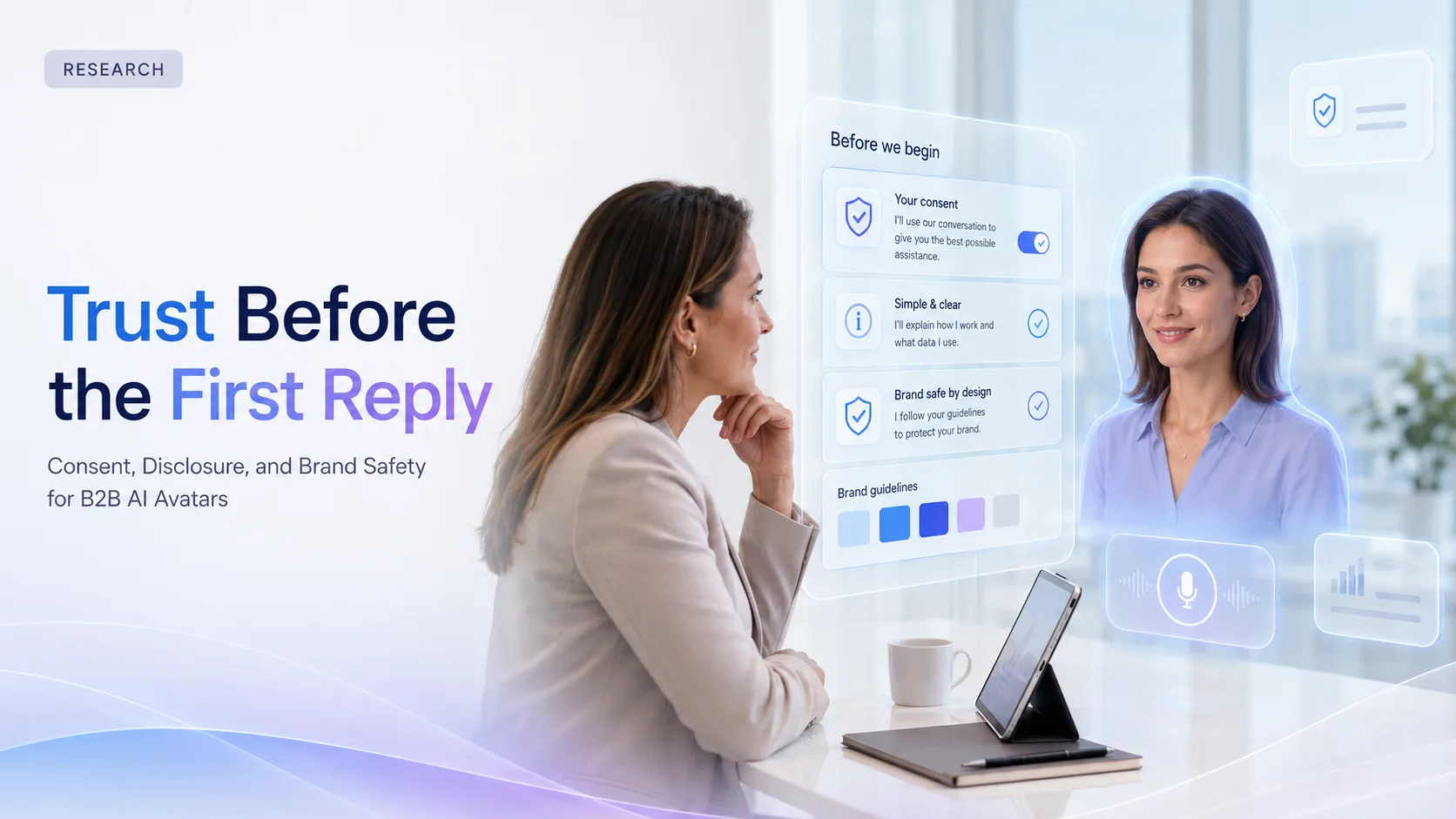
Key takeaways
- Disclose that the user is interacting with an AI avatar in a way that is visible before the experience becomes consequential.
- Explain the avatar’s job in the workflow and give users a usable alternative: text, standard UI, help, or a human route where your product provides one.
- Treat consent as a product and governance decision tied to the actual use of the experience—not as a generic checkbox copied into every flow.
- Keep persona approval, content rules, permissions, tool decisions, and escalation in the application layer you own.
- Do not imply a human review, legal approval, customer relationship, or business outcome unless your application can verify it.
Separate the three questions: disclosure, consent, and brand safety
These terms are often bundled together, but they solve different problems. Separating them makes implementation reviews much clearer.
| Area | Product question | A practical goal | Not the same as |
|---|---|---|---|
| Disclosure | Does the user understand that this is an AI avatar and what role it plays? | Clear, timely context before the interaction matters. | A legal determination that disclosure alone is sufficient. |
| Consent | Is an affirmative choice, notice, or another control required for this specific use? | An approved product policy that matches the scenario. | A universal checkbox or a substitute for legal review. |
| Brand safety | Does the avatar behave and speak within the product’s approved scope and identity? | Consistent persona, content, fallback, and escalation behavior. | A claim that the experience is risk-free. |
An optional avatar tip inside a low-risk setup task and a customer-facing avatar that discusses account information may need very different policies. Start with the specific user moment, information type, action scope, and audience rather than a generic “AI policy.”
Make the first encounter unambiguous
The first few seconds of an avatar experience should answer three user questions:
- What is this? Say that it is an AI avatar, an AI guide, or another accurate label your product has approved.
- What can it help with here? Tie the role to the current product task, not an open-ended promise.
- What can I do instead? Make text, close, skip, standard navigation, or another approved support path visible.
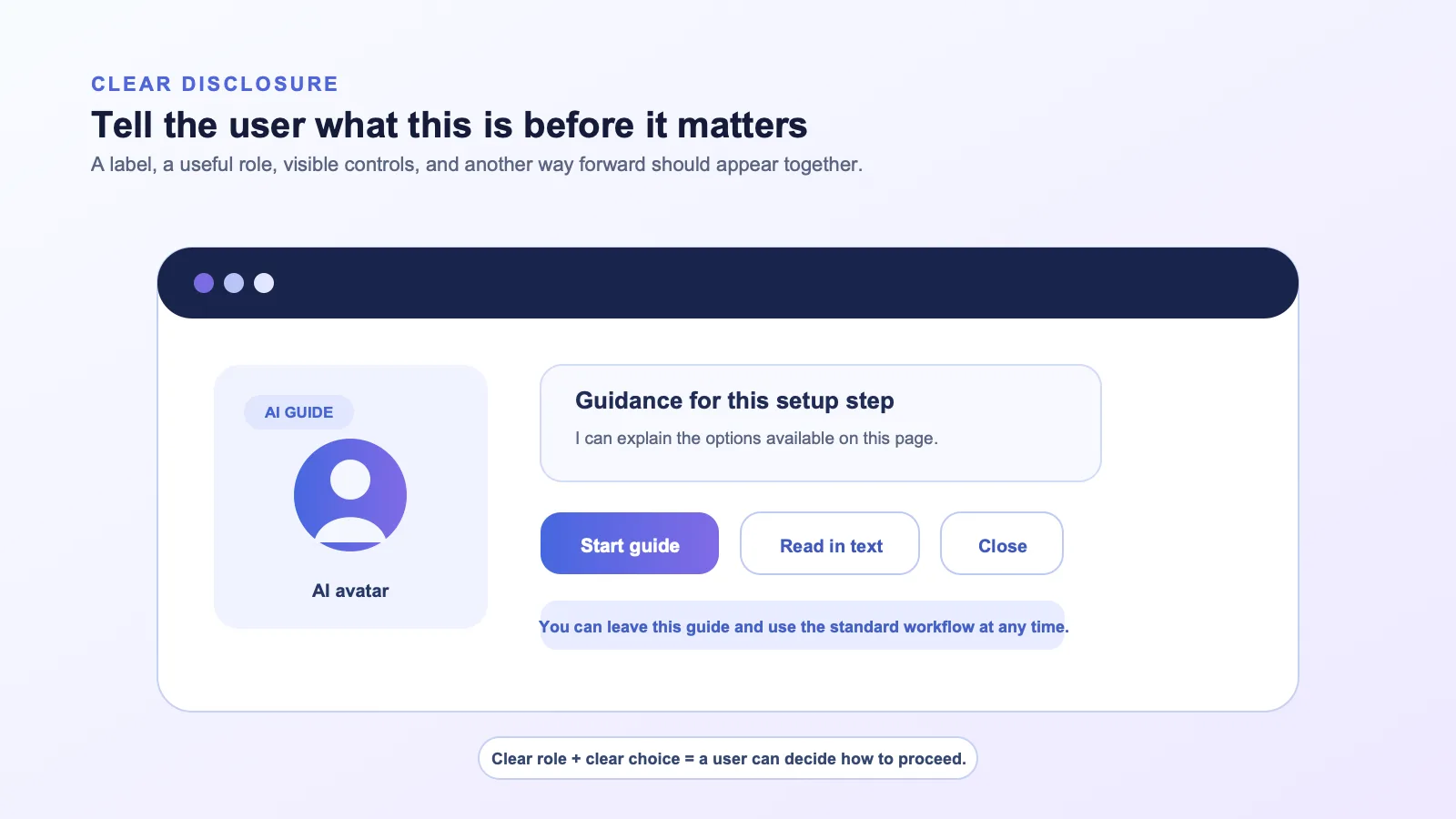
Good disclosure is more than a tiny badge in a corner. It is readable at the point where a user chooses to start the experience and remains available while the avatar is speaking. Keep it straightforward:
- “This is an AI guide for this setup step.”
- “It can explain the available options. You can continue in text at any time.”
- “This assistant can help collect the information needed for the next step; a person will review the request only when the product says so.”
Avoid language that makes the avatar sound like an unqualified human expert, a verified representative, or a decision-maker. Do not say “I approved your request,” “your account manager reviewed this,” or “this action is complete” unless your application has a real, current source of truth for those statements.
Disclosure patterns by product moment
| Product moment | Clear disclosure pattern | Useful control |
|---|---|---|
| Optional onboarding explanation | “AI guide for this step” next to the start action. | Skip or read in text. |
| Practice or role-play | “AI role-play partner” plus the scenario and limits. | Change scenario, restart, leave. |
| Account- or workflow-specific guidance | “AI assistant using the information available in this workspace” only if that statement is accurate for your implementation. | View source context where your product supports it, switch to another help route. |
| Tool-driven action | Identify that the application will perform an action only after the relevant product confirmation. | Review, confirm, cancel, or do it manually. |
| Escalation | State that the product is routing or preparing a handoff; do not promise a response time unless it is verified. | Continue self-service or request a person. |
Treat consent as a scenario-specific product decision
Whether an experience needs an affirmative consent step, a notice with controls, or another form of policy implementation depends on the actual context. That may include the data involved, the user’s role, the product’s contract terms, the jurisdiction, the customer relationship, and the kind of action being performed.
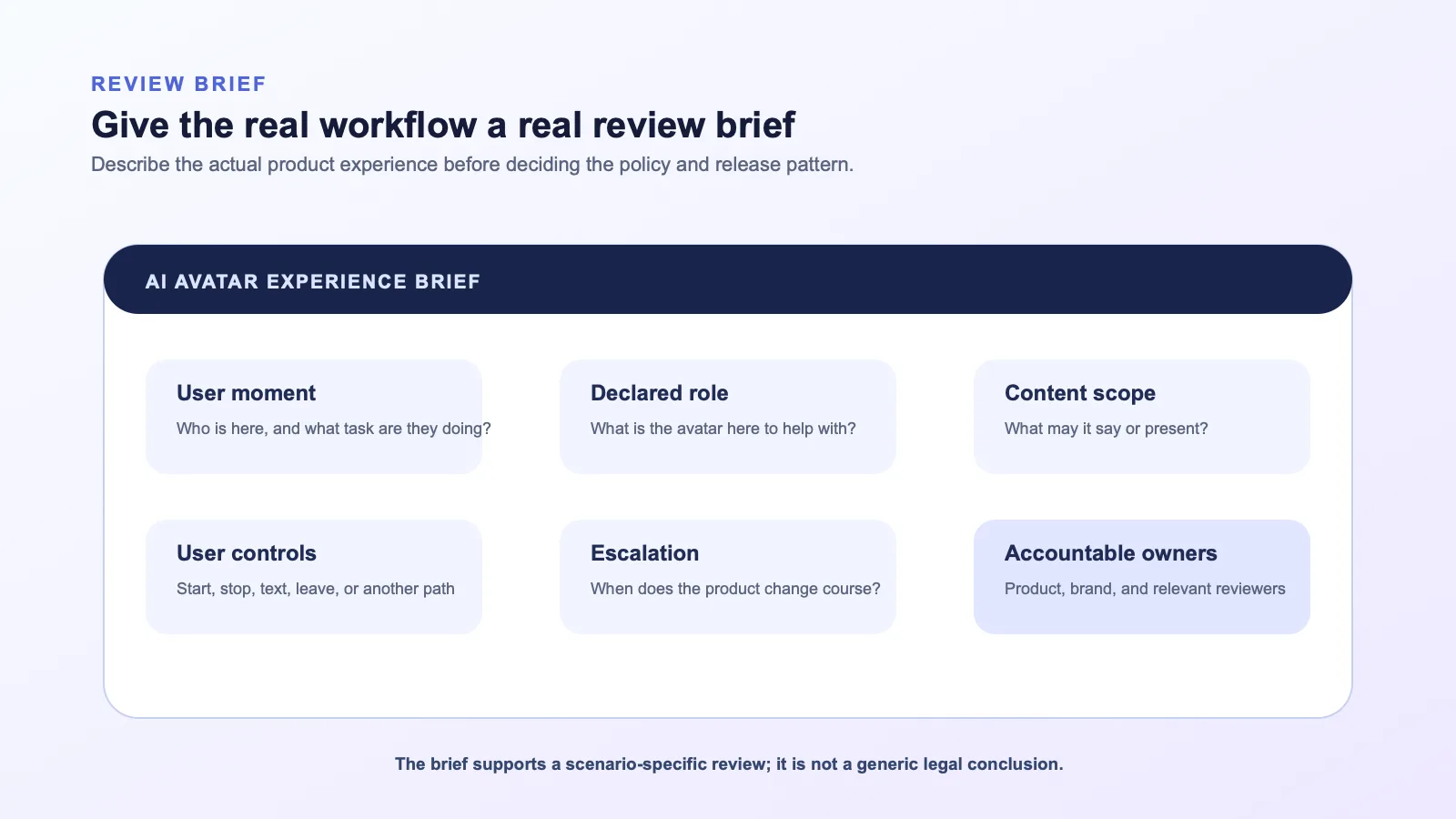
The product team’s role is to make the decision visible and enforceable in the workflow. Before you decide on an interaction pattern, create a short review brief that names:
- the user population and the product moment;
- the avatar’s declared role and the speech/content scope;
- the information the application uses to form the response;
- the controls available before, during, and after the interaction;
- the conditions that require confirmation, an alternate path, or a handoff;
- the owner who approves changes to this workflow.
Do not use a consent interaction to hide a vague product design. A checkbox that says “I agree to AI” does not explain what the avatar will do in the moment, how the user can stop it, or what happens if the task needs a person. Give users meaningful product controls regardless of the final consent pattern your organization approves.
Keep authority and policy inside your application
An avatar may look like an agent, but the visual presentation should not become the system of record. Your application should keep the authority to decide:
- what context is available for the response;
- what the user is allowed to see, ask for, or change;
- whether a tool can run and whether it requires confirmation;
- whether a response is in scope for the current workflow;
- when to stop, switch modes, report an error, or hand a task to a person.
With Spatius, the relevant interface is narrow: your application produces the approved avatar speech audio, Motion Server returns motion data, and AvatarKit renders locally. The avatar layer does not replace your policy engine, retrieval system, access controls, tool logic, or handoff workflow.
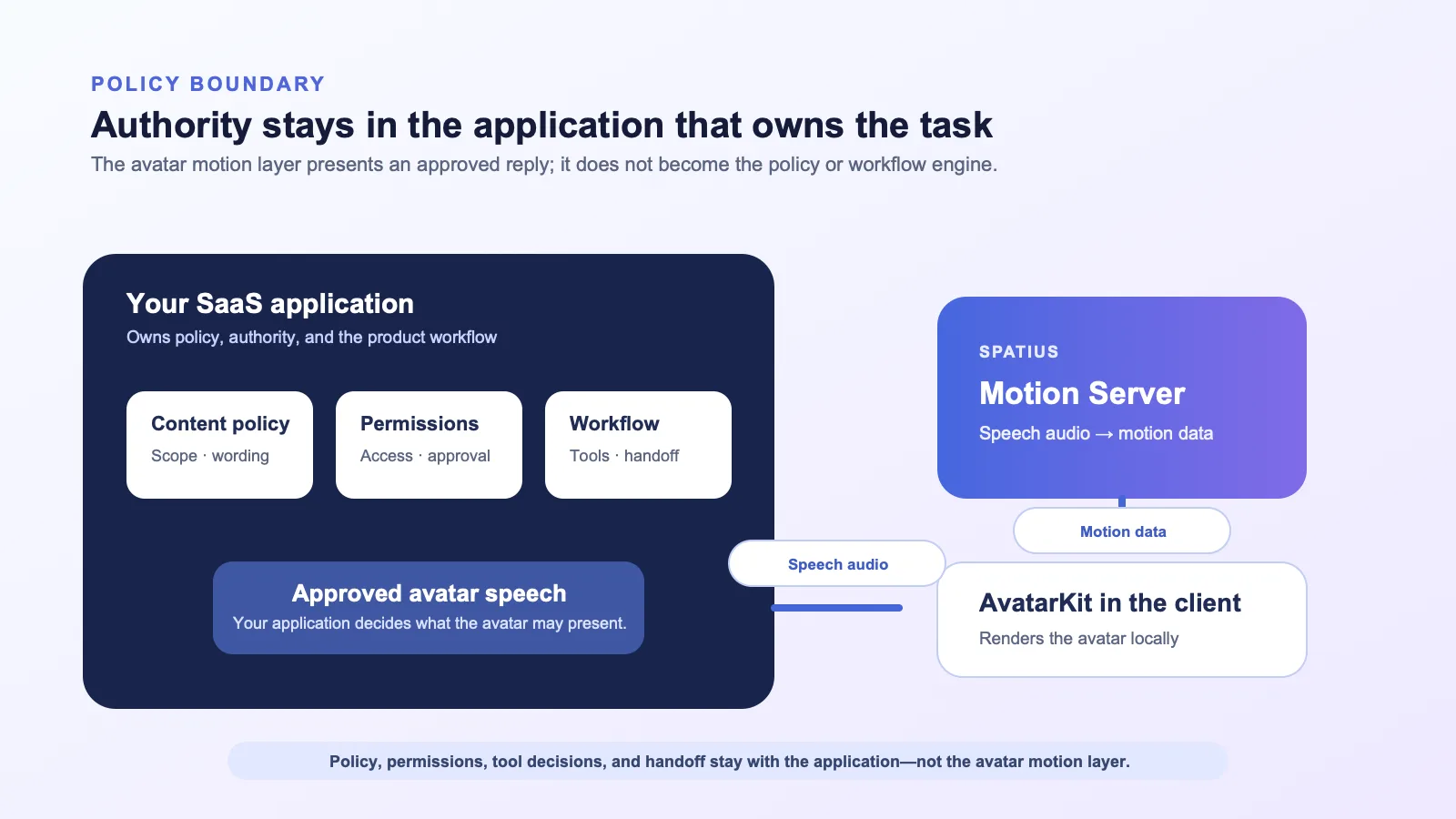
This is useful for brand safety as well as architecture. It means your content and workflow rules can be reviewed at the point where answers are generated and actions are decided—before they become speech audio for the avatar to present.
Define the avatar’s persona as a product interface
The avatar’s visual identity, voice, language, and behavior should have a written scope. Think of it as an interface contract, not a creative mood board.
Establish the approved persona
Document the basics:
- what the avatar is called and how it identifies itself;
- the role it plays in the product (guide, practice partner, presenter, or another specific role);
- the appropriate tone for the workflow;
- the topics and actions that are in scope;
- the claims it must never make;
- the visual identity, voice, and likeness rights your organization has approved;
- how the product behaves when a request is out of scope.
If a persona resembles or is presented as a real person, do not assume that an image, a name, or an internal request is enough approval. Confirm the rights, the approved use, and the rollout conditions with the people who own that decision. This is not a claim about a particular legal standard; it is a necessary product-review question.
Script for product state, not theatrical certainty
The safest avatar language follows known application state. Use wording such as:
- “I can explain the options available on this page.”
- “The product is preparing the requested information. You can continue in text or leave this step.”
- “This action needs your confirmation before the application proceeds.”
- “I cannot complete that request here. Here are the available next steps.”
Avoid filling uncertainty with polished-sounding certainty. The user should not have to infer whether the avatar is waiting, needs more information, cannot perform a task, or is handing the work to a person.
Design the exit, error, and handoff paths before launch
Trust is damaged when an avatar has only a “continue” state. Every experience needs a clear route for users who do not want to speak, who prefer text, who need a human, or who encounter a problem.
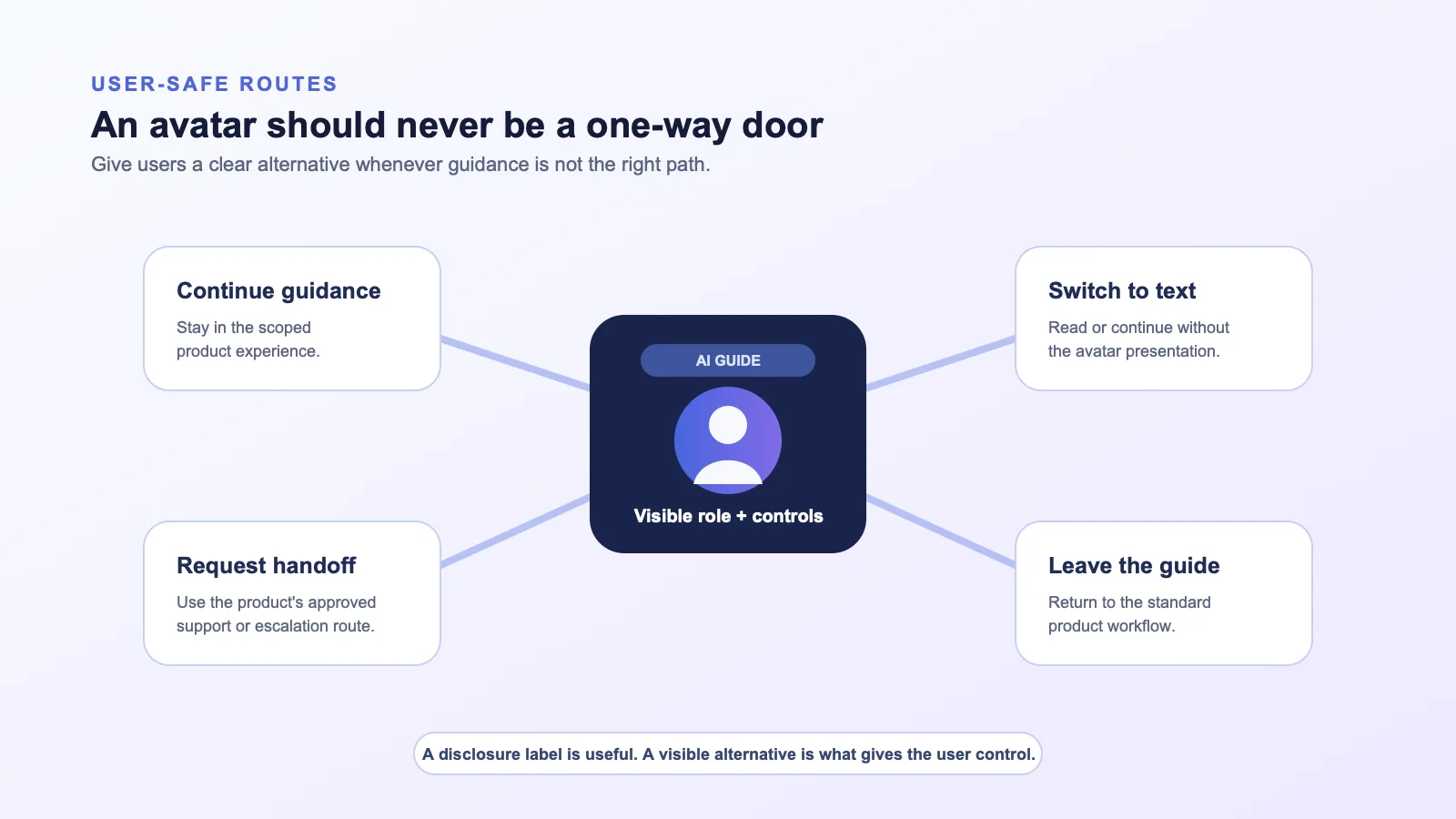
At a minimum, define:
| Situation | Product behavior to define | What the avatar may say |
|---|---|---|
| User wants to stop | Stop presentation and preserve a clear next action. | “You can continue with the standard page or switch to text.” |
| User asks for unsupported advice or action | Keep the request in the application policy layer; offer an approved alternative. | “I cannot complete that here. Here is the next available route.” |
| Product or dependency is waiting | Show a truthful status and allow the user to leave or choose another path. | “The product is still working on this step. You can continue another way.” |
| A human is needed | Trigger the product’s defined handoff path; do not imply an unseen review or promise timing. | “This needs a teammate or another support route. Here are your options.” |
| Avatar motion is unavailable | Keep the application state and alternate presentation route clear. | “You can continue in text or use the standard workflow.” |
For the current technical behavior of a selected Spatius path, refer to the relevant integration documentation. Product safety is not achieved by a transport choice alone; it comes from the experience your application designs around that path.
Make governance practical and change-aware
Brand safety is not a one-time launch task. Scripts, prompts, knowledge sources, avatar presentation, tool permissions, and product UI can change independently. Give the workflow a change process.
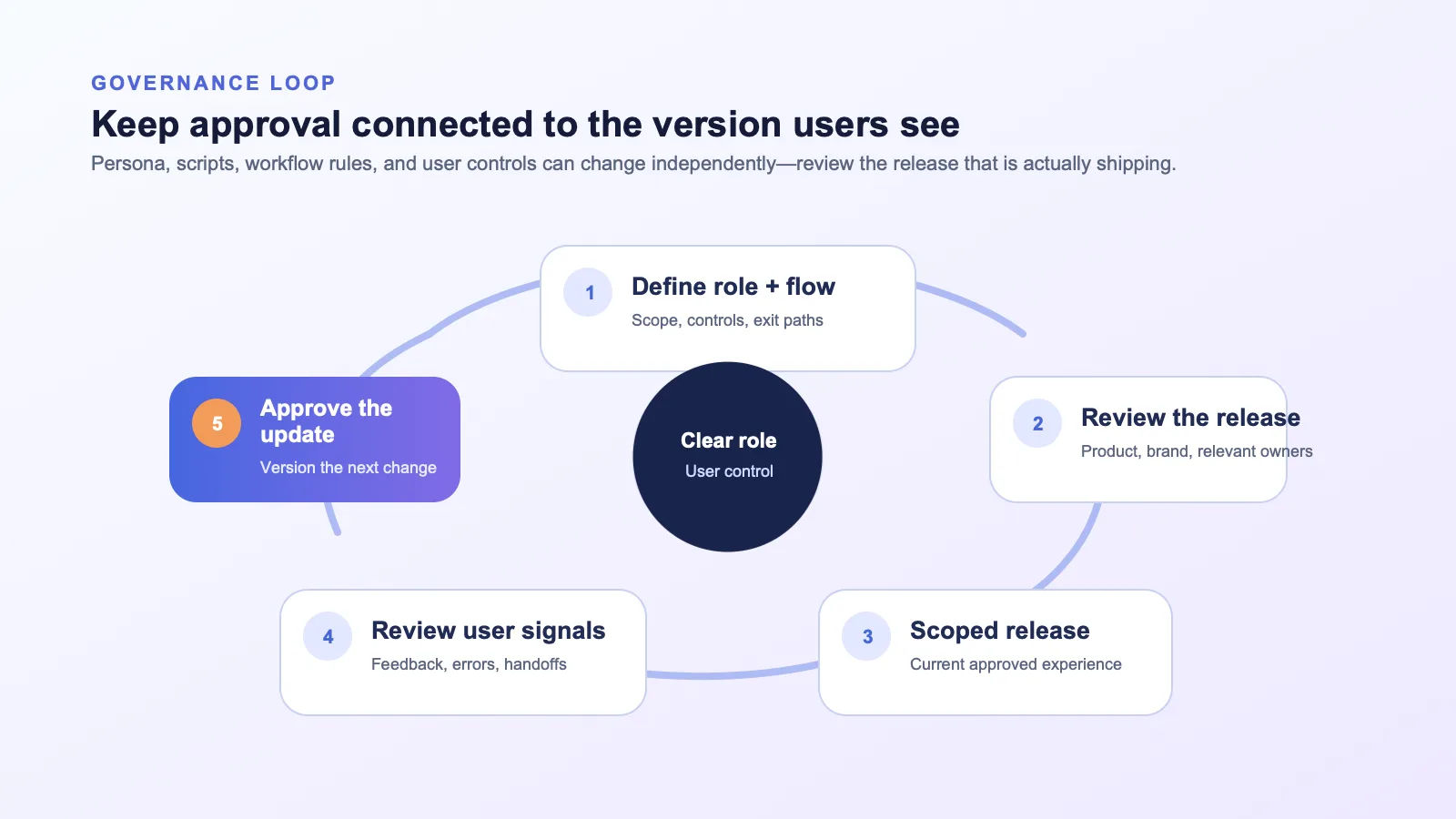
A practical release checklist can include:
- The avatar is clearly labeled and the current role is understandable.
- The user can control, leave, or choose an alternative path.
- Content, persona, and visual identity match the approved scope.
- Permissions, tool actions, and human handoffs remain controlled by the application.
- Error and waiting states do not make unverified promises.
- The required owners have reviewed the current version, not an earlier concept.
- Feedback and incident signals have a named route for review.
Keep a versioned record of what changed and who approved it. That is more useful than claiming that an experience is permanently “safe” or “compliant.”
Frequently asked questions
Do we always need an explicit consent checkbox for an AI avatar?
There is no universal answer in this article. The appropriate pattern depends on the actual deployment, including the role of the avatar, the data and actions involved, user expectations, applicable requirements, and your organization’s approved policies. Give users clear product controls and involve the appropriate legal, privacy, security, and product owners.
What should an AI avatar disclose?
At minimum, the product should make clear that the user is interacting with an AI avatar, explain its role in the current task, and show a viable alternative path. Do not make claims about human review, authority, or outcomes that the application cannot verify.
Who controls what the avatar can say or do in a Spatius integration?
Your application, agent framework, or backend owns the conversation logic, context, permissions, tools, workflows, turn-taking, and handoff policy. Spatius converts avatar speech audio into motion data, and AvatarKit renders locally. See the Spatius Developer Docs Map.
How do we avoid impersonation or brand confusion?
Use an approved persona with a specific role, clearly label it as AI, avoid unsupported authority claims, and obtain the appropriate approval for any name, likeness, voice, or brand representation. Keep the asset and script review process connected to the workflow it will appear in.
Can disclosure replace product controls?
No. A label explains what the experience is; controls let a user decide what to do next. Good product design needs both.
Build clarity into the experience
The goal is not to make an AI avatar feel indistinguishable from a person. It is to make the experience useful, clear about its role, controllable by the user, and faithful to what your product can actually do.
If you are evaluating a real-time avatar layer for a governed SaaS workflow, request a Spatius demo to discuss an integration path that fits your application architecture.