

An avatar being viewed is not proof that it helped. A user may open it because it is new, leave it running while doing something else, or watch it because there is no obvious way to continue. None of those outcomes tells a product team whether the experience deserves to expand.
The useful question is narrower: did the avatar help the right user complete, understand, decide, or recover within one specific product workflow?
That question also keeps measurement ownership clear. In a Spatius implementation, your application owns the workflow, user context, permissions, agent logic, analytics, and product events. Spatius converts avatar speech audio into real-time motion data, and AvatarKit renders the avatar locally in the client. It does not replace your analytics or decide what success means for your product. See the Spatius Developer Docs Map for the current system boundary.
Key takeaways
- Define one product moment and one user decision before you define a dashboard.
- Track the full path: eligibility, start, controls, next action, recovery, and feedback—not only viewing time.
- Treat interruptions, exits, and text switches as useful signals; they are not automatically failures.
- Compare like with like. User role, task complexity, and entry point matter more than a single blended average.
- Use measurement to decide whether to refine, narrow, expand, or remove an avatar experience. Do not promise ROI before your own product data supports it.
Start with the product decision you need to make
“Measure engagement” is too vague to guide a product team. Before adding events, state the decision the evidence needs to support.
For example:
- Should an optional avatar-led setup explanation remain in the onboarding flow?
- Does a role-play experience give sellers a useful way to practise a particular scenario?
- Should a complex support guidance path offer an avatar, text instructions, or a direct human handoff?
Each question implies a different success condition. A product walkthrough might be useful when users reach the next setup step with fewer detours. A practice workflow may be useful when participants finish an assigned scenario and report that the feedback was understandable. A support flow may be useful when users either complete a safe next action or reach a clearly labeled escalation path.
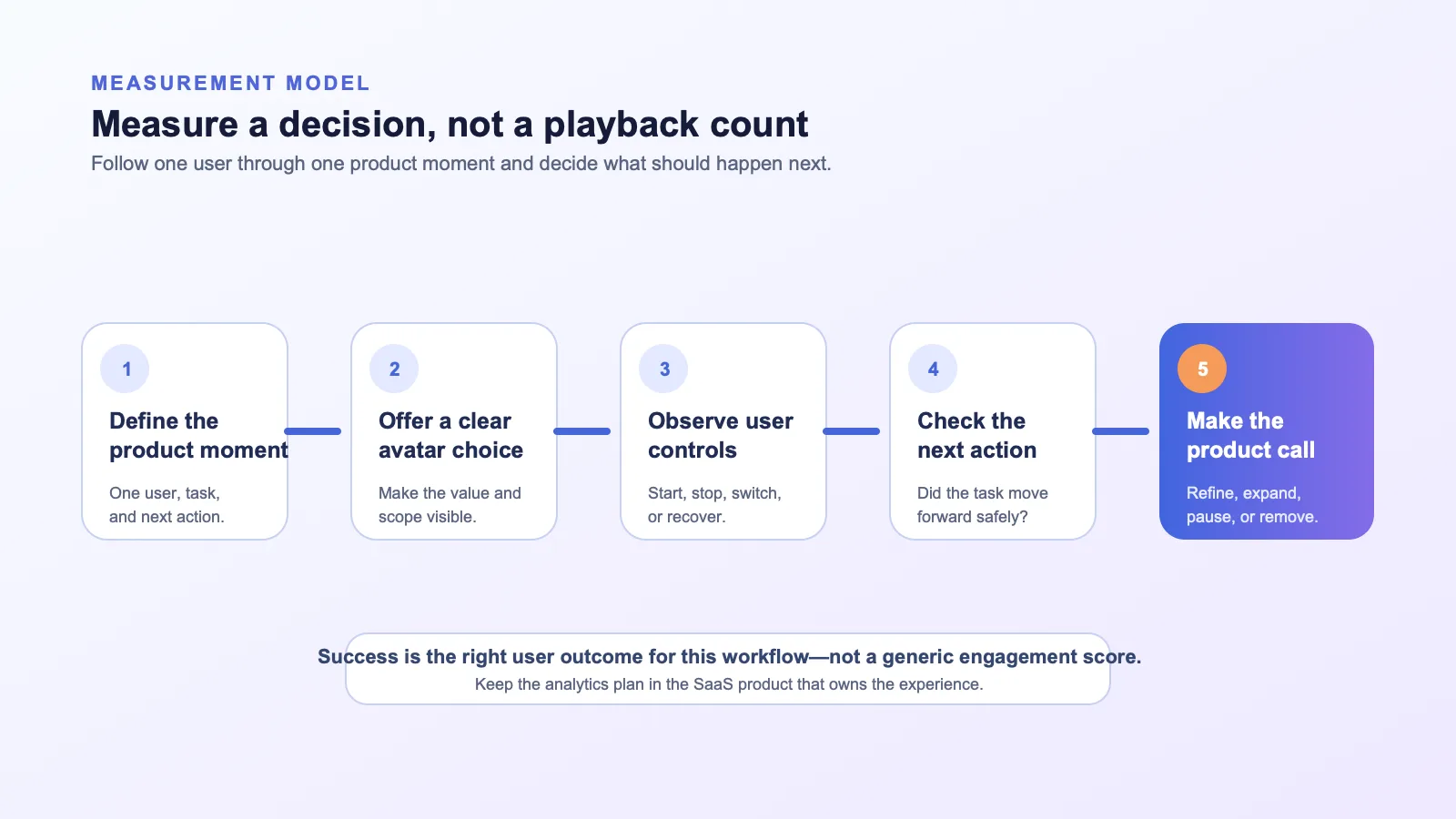
Write the initial hypothesis in plain language before instrumentation. For example:
“For newly invited workspace admins, an optional avatar explanation at the permissions step may help them understand the choice and reach the next setup action. We will compare this with the existing help path and review controls, completion, recovery, and feedback.”
This is not a claim that the avatar will improve a metric. It is a testable product statement with a defined audience, place, and alternative.
Use a measurement model that follows the user journey
One number rarely explains an experience. A more useful framework follows the user from eligibility to the next product action.
| Measurement layer | What to ask | Example signals | What it can tell you |
|---|---|---|---|
| Opportunity | Did the right users encounter the option? | Eligible users, entry point shown, feature availability | Whether the experience was available in the intended moment. |
| Choice | Did users start it deliberately? | Opened, started, selected an avatar path | Whether the entry point and expectation are clear enough to try. |
| Control | Could users steer or leave it? | Paused, interrupted, skipped, switched to text, closed | Whether controls are discoverable and fit the workflow. |
| Task progress | Did users take the intended next action? | Setup step completed, scenario started, documented handoff | Whether the experience fits the real job in the product. |
| Recovery | What happened when the path could not continue? | Error displayed, fallback chosen, handoff requested | Where the product needs clearer status or another route. |
| Feedback | Did users understand the value and limits? | Optional helpfulness feedback, tagged support themes | Why the numbers look the way they do. |
Do not assume that a longer interaction is better. A short explanation followed by the correct product action may be more useful than an extended avatar conversation. Likewise, an interruption may mean that the user understood the answer quickly, not that the experience failed.
Instrument the product events your team can act on
Your product analytics should describe the user experience rather than collect an indiscriminate log of every utterance. Begin with an event set tied to the workflow and retain only the properties your team needs to make a product decision.
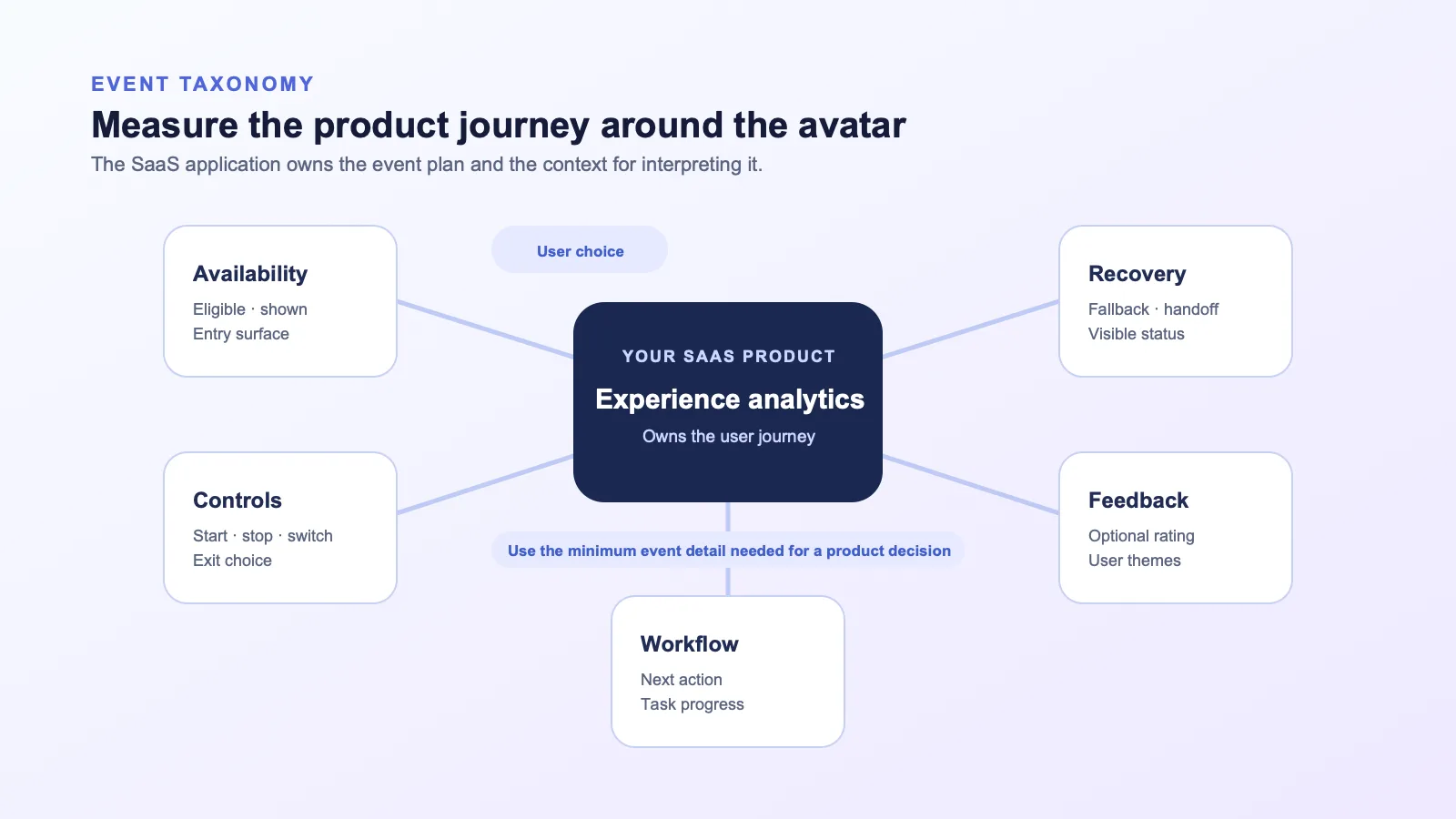
A practical starter taxonomy
The following events are examples, not a required Spatius schema. Name them to match your existing analytics conventions.
| Event | When to record it | Useful properties | Avoid using it as |
|---|---|---|---|
avatar_eligible | The user reaches the product moment where the experience could be offered. | Experience ID, entry surface, non-sensitive user segment | A proxy for user interest. |
avatar_opened | The user chooses to open the experience. | Entry point, workflow stage | Proof that the explanation helped. |
avatar_started | A defined avatar response or scenario begins. | Scenario ID, response type | A measure of task completion. |
avatar_interrupted | The user intentionally stops, speaks over, or redirects the current response. | Control type, workflow stage | A failure by default. |
avatar_mode_switched | The user moves to text, audio, or another approved presentation path. | From-mode, to-mode, reason if explicitly supplied | A negative outcome by default. |
workflow_next_action | The user completes the pre-defined next product action. | Action ID, experience ID, workflow stage | A universal conversion metric across unrelated flows. |
avatar_recovery_selected | A user chooses a fallback or human-handoff option. | Recovery type, visible error state | A reliability claim about the provider. |
avatar_feedback_submitted | The user voluntarily gives feedback. | Structured rating only if your product uses one, optional theme | A representative sample of every user. |
Keep the source of truth in the application that owns the user journey. The avatar motion layer is not your analytics warehouse. Your implementation can correlate product events with an avatar session only to the degree that your team has intentionally designed and reviewed that connection.
Capture state changes, not just media behavior
Instrument the changes that matter to a user: the avatar appeared, the user decided to start, a response was interrupted, the user took the next action, or a fallback became necessary. These signals connect the presentation layer to the product workflow.
For example, the current Direct Mode documentation describes client-side AvatarKit sending avatar speech audio to Motion Server, receiving motion data, and rendering locally. Your product is still the place to decide whether a response was relevant, whether a user completed a workflow, and whether a support handoff was appropriate.
Compare like with like
An avatar experience can be entered by users with very different needs. One user may be on their first setup task; another may already know the workflow and simply want to move faster. Blending those users into a single average can create a misleading conclusion.
Segment the analysis by the conditions that shape the experience:
- Workflow stage: first-time setup, repeat task, troubleshooting, or practice.
- User role: an admin, operator, manager, or end user may have different goals and permissions.
- Entry point: proactive suggestion, help panel, explicit “practice” action, or support route.
- Experience version: script, control design, knowledge scope, and fallback behavior.
- Task complexity: simple step, multi-step configuration, or a workflow that requires a tool or human decision.
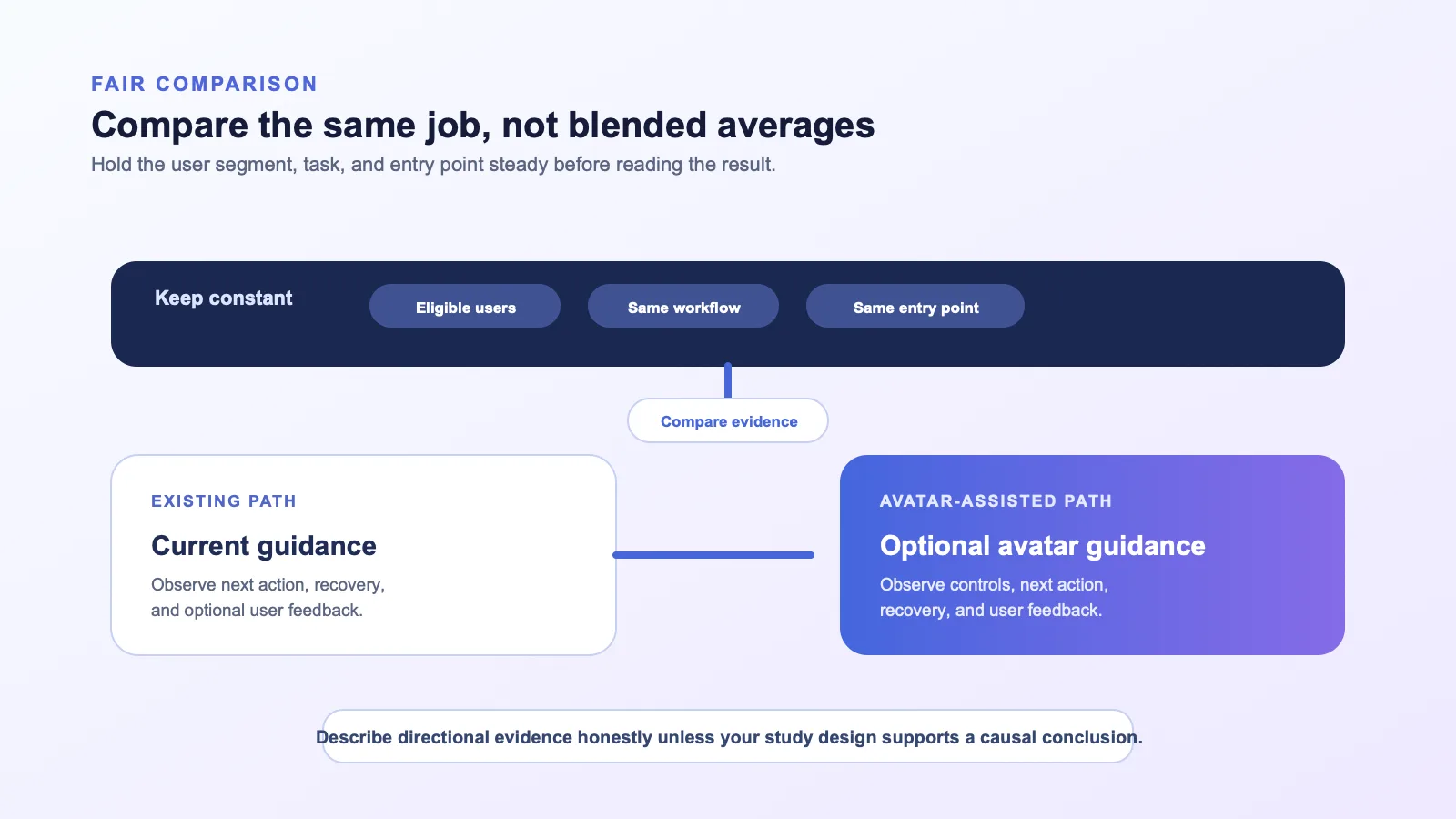
If you compare an avatar cohort with a baseline, make the comparison fair. Use the same workflow, period, and user eligibility where possible. A controlled experiment can help when your product, traffic, and governance practices support one. Otherwise, describe the evidence as directional rather than causal.
Read interruption and recovery signals correctly
Some product teams treat interruption as a negative metric. That can push the design in the wrong direction: users may feel forced to listen in order to look “engaged.”
Instead, interpret controls in context:
| Signal | Could mean | What to inspect next |
|---|---|---|
| Frequent early stops | The opening is too long, the user already knows the answer, or the control is simply easy to use. | First sentence, entry-point expectation, and the next action after stop. |
| Switches to text | The user prefers scanning, needs a copyable answer, or is in a noisy environment. | Whether text is equally useful and easy to reach. |
| Repeated restarts | The user may be seeking clarification, or the response path may lack a useful follow-up. | Prompt scope, available choices, and error state. |
| Human handoff requests | The workflow may need an expert, authorization, or a case-specific decision. | Handoff timing, routing, and whether the reason is visible. |
| No action after a completed response | The explanation may not point to a clear next step. | CTA wording, UI focus, and whether the task is actually actionable. |
The goal is not to make interruption disappear. The goal is to give users a graceful way to express intent and to help the product respond appropriately.
Pair quantitative signals with qualitative evidence
Numbers show where to look; qualitative evidence often explains why. During a pilot, review a small, approved set of artifacts your own product is allowed to use, such as optional feedback, support themes, usability sessions, or observed task walkthroughs.
Ask focused questions:
- Did users understand what the avatar could help with before starting it?
- Did they know how to stop, skip, or choose text?
- Did the response help them decide what to do next?
- Was there a point where they expected a human, an action, or a source that the experience did not provide?
- Did the avatar fit the tone and seriousness of the workflow?
Avoid interpreting one enthusiastic comment or one complaint as the full story. Pair it with the path users actually took through the workflow.
Build a review loop, not a vanity dashboard
Measurement is valuable only if it leads to a product decision. Establish a review cadence with clear owners from product, engineering, design, customer-facing teams, and any relevant governance functions.
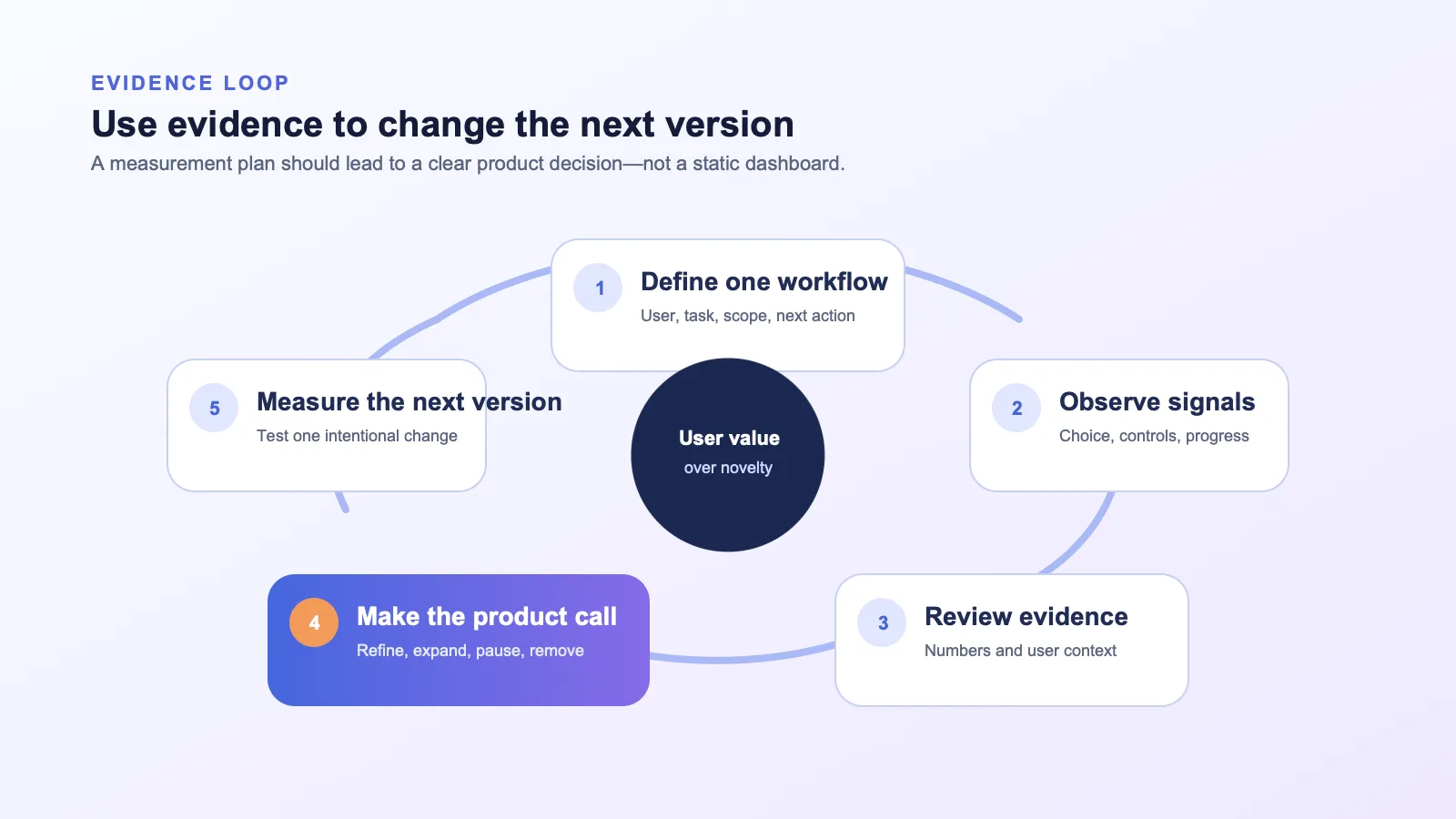
At each review, answer these questions:
- Did the intended users understand why the experience was offered?
- Did they retain control and reach an appropriate next action or recovery path?
- What is the strongest evidence for keeping the current design?
- What evidence argues for narrowing, changing, or removing it?
- What one change should the next version test?
This protects teams from expanding a feature simply because it is technically working or visually impressive. The best next step may be a revised entry point, a shorter script, more visible controls, a better handoff path, a smaller audience—or no avatar at all for that workflow.
Frequently asked questions
What is the most important AI avatar metric?
There is no universal metric. Start with the outcome of the specific product moment you are testing: a clear next action, a completed practice scenario, an appropriate recovery, or a better-understood decision. Pair that outcome with controls and feedback so you can tell whether users remained in charge.
Is watch time a good measure of avatar success?
Not by itself. Longer viewing may indicate interest, confusion, lack of controls, or an unnecessarily long response. Use it only alongside workflow progress, interruption behavior, and qualitative feedback.
Who should own avatar analytics?
The application team that owns the user workflow should own the analytics plan and the product events. In the documented Spatius architecture, Spatius provides the motion layer; your application owns conversation logic, workflows, and product measurement.
Should an interruption count as a failure?
No. It is a signal of user intent. Review when it happened, what the user did next, and whether the interface gave them an appropriate way to move forward.
Can we claim ROI after a small pilot?
No. A pilot can provide evidence for a product decision, but it does not automatically establish a general ROI claim. Use your own approved methodology and evidence before communicating any business outcome externally.
Measure the next decision, not the novelty
An AI avatar becomes a product feature only when it helps a defined user in a defined moment and your team can explain why. Measure the user choices around that moment, not just the presence of a moving face on screen.
If you are planning a real-time avatar pilot and want to evaluate the right integration boundary for your product, request a Spatius demo.