

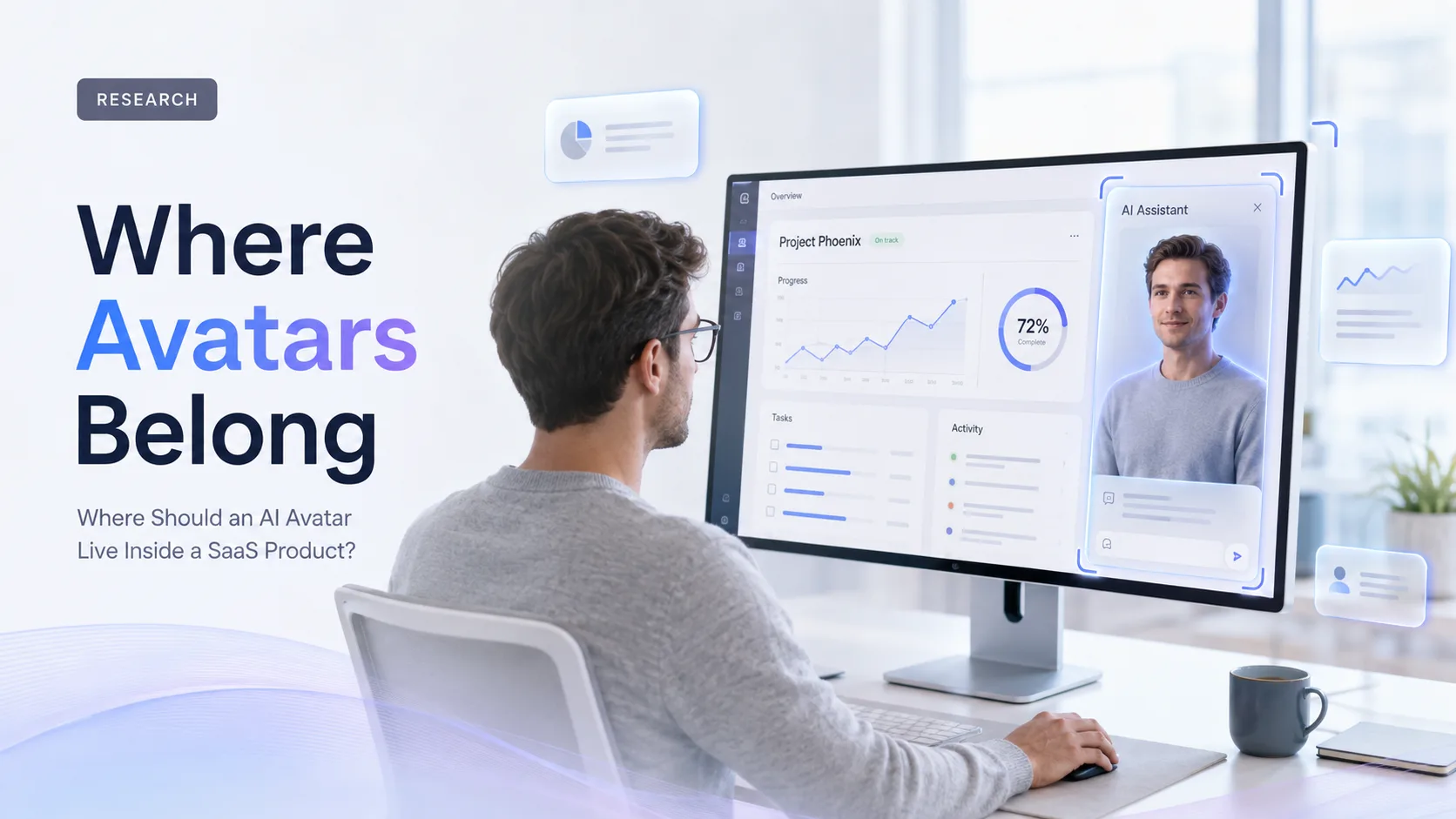
An AI avatar should not be added to a SaaS product simply because a conversational interface is available. The more useful question is: at which moment does a spoken, visual guide make the task easier for the user?
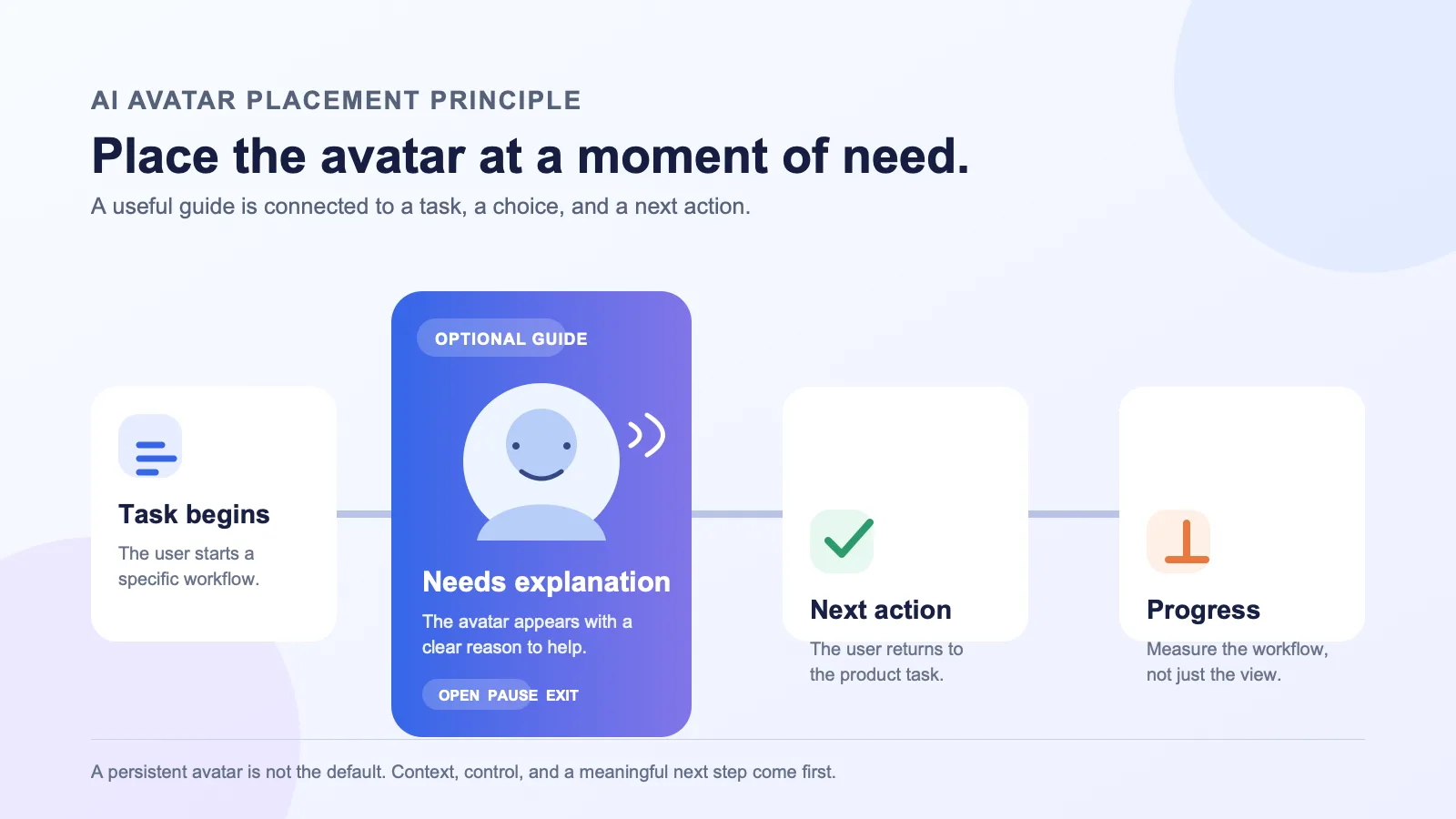
For most B2B SaaS teams, the answer is not “everywhere.” An avatar earns its place when a user is learning a complex workflow, deciding what to do next, practising a conversation, or working through information that benefits from a human-like presenter. Outside those moments, a standard interface, written guidance, or a compact text chat may be the better experience.
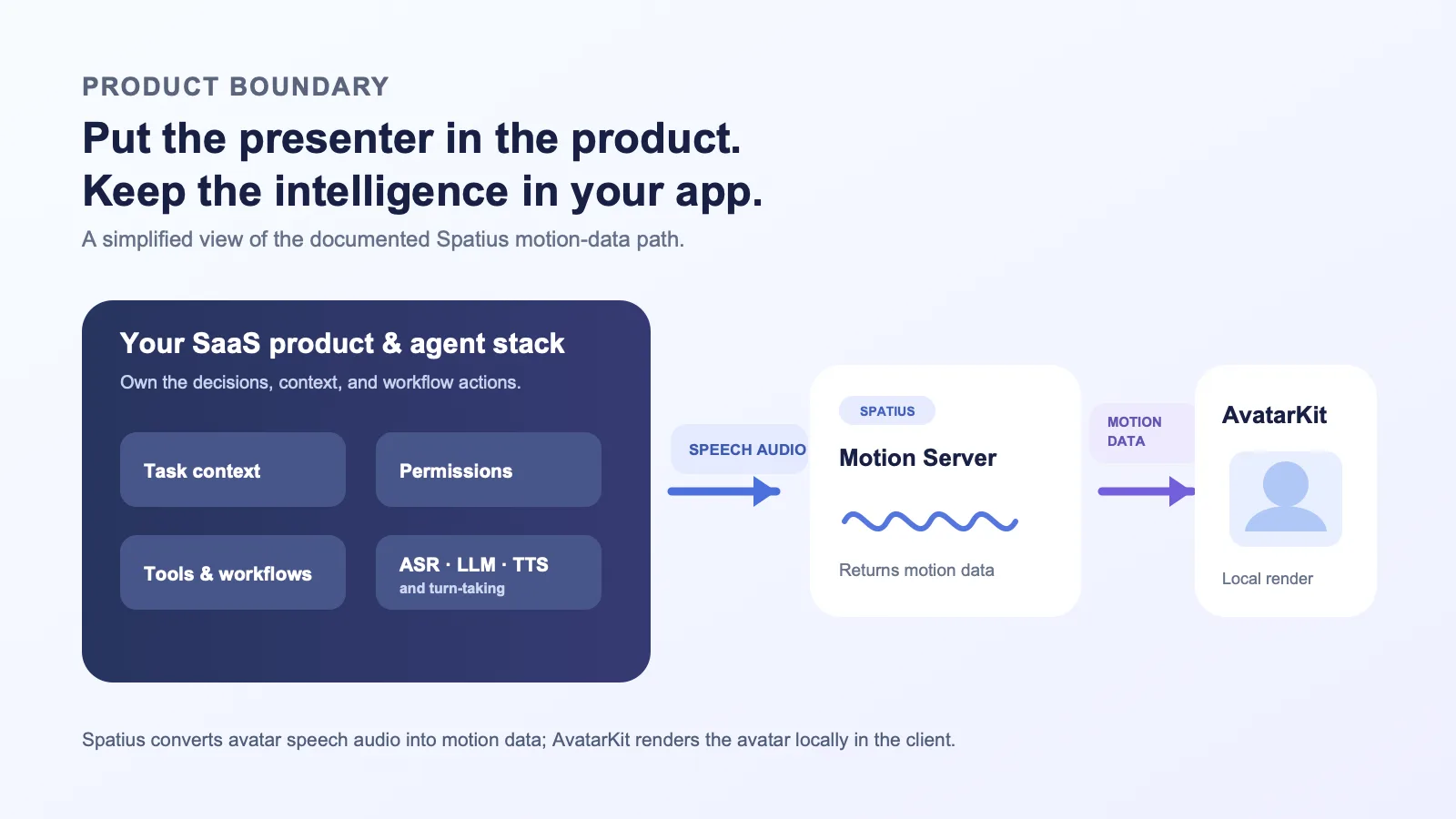
This article provides a product-design framework for choosing the right surface, defining the user controls, and keeping the technical boundary clear. With Spatius, the application remains responsible for the agent and product logic; Spatius converts avatar speech audio into motion data, while AvatarKit renders the avatar locally in the client. See the Spatius documentation map.
Key takeaways
- Place an avatar inside a real user job, not as a decorative assistant across every screen.
- Make the entry point contextual: users should understand why the avatar is there before they open it.
- Keep task logic, customer context, permissions, tools, ASR, LLM, and TTS in your application or agent stack.
- Give users simple controls to open, pause, interrupt, switch to text, or leave the experience.
- Start with one workflow and measure whether the avatar helps users complete the next meaningful step.
Start with the job, not the surface
Teams often begin by asking whether the avatar should appear as a floating bubble, side panel, or full-screen experience. Those are implementation choices. Begin one level earlier:
What does the user need to understand, decide, practise, or complete at this exact point in the product?
If the answer is vague—“make the product feel more AI-powered”—the avatar will usually become background noise. If the answer is concrete—“help a new admin configure the first workflow” or “let a seller practise an objection before a call”—you can design a focused experience around that job.
Use the following test before choosing a location:
| Question | A strong signal for an avatar | A weak signal for an avatar |
|---|---|---|
| Is there a distinct user task? | The user has a clear goal or decision to make. | The screen is a generic dashboard or list view. |
| Does spoken explanation add value? | The task involves a walkthrough, practice, or nuanced guidance. | The user only needs one short instruction or a data table. |
| Is the moment high-context? | The product already knows the workflow, object, role, or next step. | The avatar would need the user to repeat basic context. |
| Can the user control the experience? | They can start it, stop it, and choose another path. | It appears automatically and blocks the main task. |
| Is there a measurable next action? | You can observe completion, progress, or a helpful handoff. | Success is limited to “the avatar was shown.” |
The result should be a simple product statement, such as: “On the first campaign setup, offer an optional avatar-led explanation of the required choices.” That statement is more useful than “put an avatar in onboarding.”
Four places an AI avatar can fit
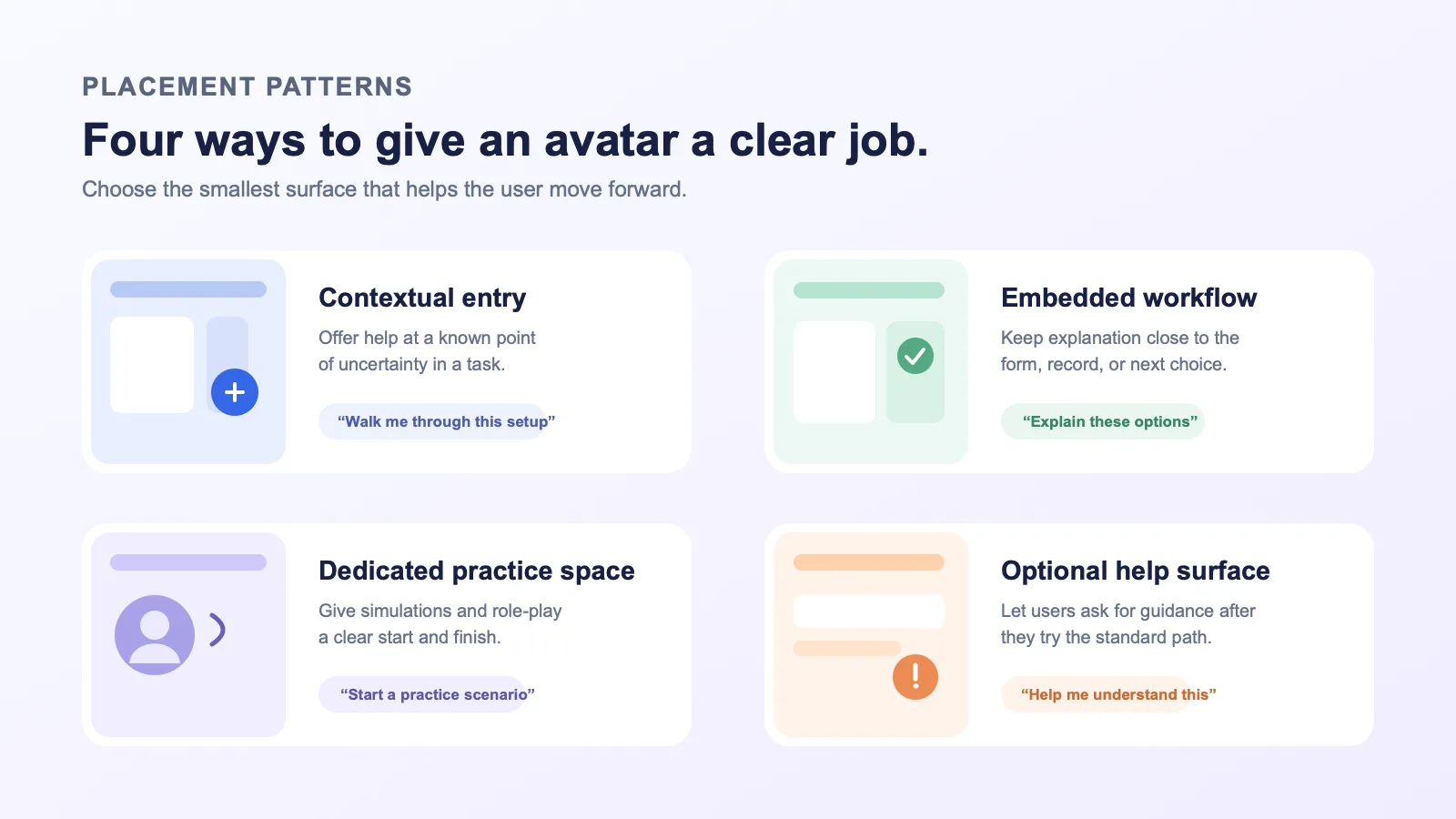
There is no universal best placement. The right pattern depends on the user’s intent, the complexity of the work, and whether a visible presenter genuinely improves the interaction.
| Placement pattern | Best used when | Product-design note |
|---|---|---|
| Contextual entry point | A user reaches a known moment of uncertainty, such as a new configuration or unfamiliar feature. | Label the value clearly: “Get a guided explanation” is more useful than a generic avatar icon. |
| Embedded workflow step | A user needs help understanding choices while completing a multi-step task. | Keep the form, document, or workflow visible so the explanation stays connected to the work. |
| Dedicated practice space | The goal is rehearsal, simulation, coaching, or scenario-based learning. | Give the space a defined beginning, scenario, and completion state rather than making it a permanent product overlay. |
| Optional help surface | Users may need explanation after they have tried the standard interface. | Make it easy to invoke from relevant help or empty states, and just as easy to dismiss. |
These patterns can coexist in one product, but they should not all launch at once. A first implementation is easier to evaluate when it is attached to a single high-value workflow.
1. Use a contextual entry point for a known moment of uncertainty
An avatar can work well at a point where the product has enough context to make a useful offer. For example, a newly assigned workspace administrator may be setting up an integration for the first time. A small, optional entry point can explain the setup choices in plain language, then return the user to the form.
The key is relevance. The experience should inherit the page’s context—what the user is working on, what stage they are at, and what they can do next—without becoming a distracting pop-up.
Good product copy makes the purpose explicit:
- “Walk me through this setup”
- “Practise the customer conversation”
- “Explain the options on this page”
Avoid vague labels such as “Ask the avatar” unless the user can immediately see what it can help with.
2. Embed the avatar where explanation and action must stay together
Some workflows become harder when guidance lives in a separate help center or a detached chat window. If the user is making choices in a configuration flow, reviewing a result, or moving through a structured process, an embedded presenter can keep the explanation close to the controls.
This does not mean the avatar should take over the page. A compact panel, drawer, or step-level view may be enough. The user should retain access to the underlying form, document, or record and should be able to move between spoken guidance and the standard interface.
The design question is not “can this be animated?” It is “does this presentation help the user make a better next choice?”
3. Give practice interactions their own space
Role-play, simulated discovery calls, practice pitches, or scenario-based training are natural candidates for a dedicated avatar experience. The user has intentionally entered a conversation, so the product can set expectations before it starts: the scenario, the user’s role, how to interrupt, and what happens at the end.
This is usually clearer than dropping a live avatar into a CRM page or task list. A dedicated space gives the interaction a purpose and protects the surrounding work from unnecessary motion or audio.
4. Make help optional after a user has tried the standard path
Not every user wants an avatar-led explanation at the first sign of friction. An optional help surface lets users choose it when they need it. Consider placing it in an empty state, beside a complex setting, after an error that needs explanation, or within a product education hub.
The avatar should complement written product guidance, not replace it. Provide a readable summary or text path for users who prefer not to use speech or motion.
Where an avatar usually does not belong
“Available everywhere” is rarely a product strategy. Be cautious about a persistent avatar on every page when:
- the user is repeatedly scanning a table, dashboard, or list;
- the task is time-sensitive and an extra interaction would slow it down;
- the avatar has no page-specific purpose;
- the product already has a compact, familiar control that solves the need;
- the user is dealing with sensitive information and the added experience has not been reviewed for that workflow.
In these cases, a contextual tooltip, a written explainer, a short video, or an existing support path may be more respectful of the user’s attention.
Keep the avatar layer separate from your product intelligence
Placement design and architecture are connected. A useful experience may need product context, account permissions, retrieval, tool calls, and an AI agent. Those are application responsibilities—not functions to transfer automatically to the avatar layer.
In Spatius’ documented architecture, your application or agent stack handles speech recognition, LLM logic, text-to-speech, turn-taking, knowledge retrieval, permissions, and product workflows. The spoken response is sent as avatar speech audio to the Motion Server, which returns motion data. AvatarKit renders the avatar locally on the client. The docs map describes these boundaries, and the Direct Mode overview shows a client connection to the Motion Server using a session token.
That separation gives product teams a practical design principle:
Put the avatar where the user needs a presenter. Keep decisions, customer context, and actions in the product systems that own them.
Choose the presentation shape before the technical route
First decide what the user should see and control. Then choose an integration approach that fits your application. Spatius documents several paths—including Direct Mode, LiveKit Agents, Agora Convo AI, and Backend Mode—rather than treating one route as universal. Compare the integration options in the official guide.
For a product designer and product manager, the important decisions are usually:
- Who starts the interaction? The user, a deliberate call to action, or a clearly explained product event?
- What is visible while the avatar speaks? The task, a transcript, a progress state, or the next action?
- How can the user change course? Pause, interrupt, use text, close the surface, or request help.
- What happens after the explanation? Continue setup, take an action, practise another scenario, or hand off to a person.
The technical implementation should support those choices rather than dictate them.
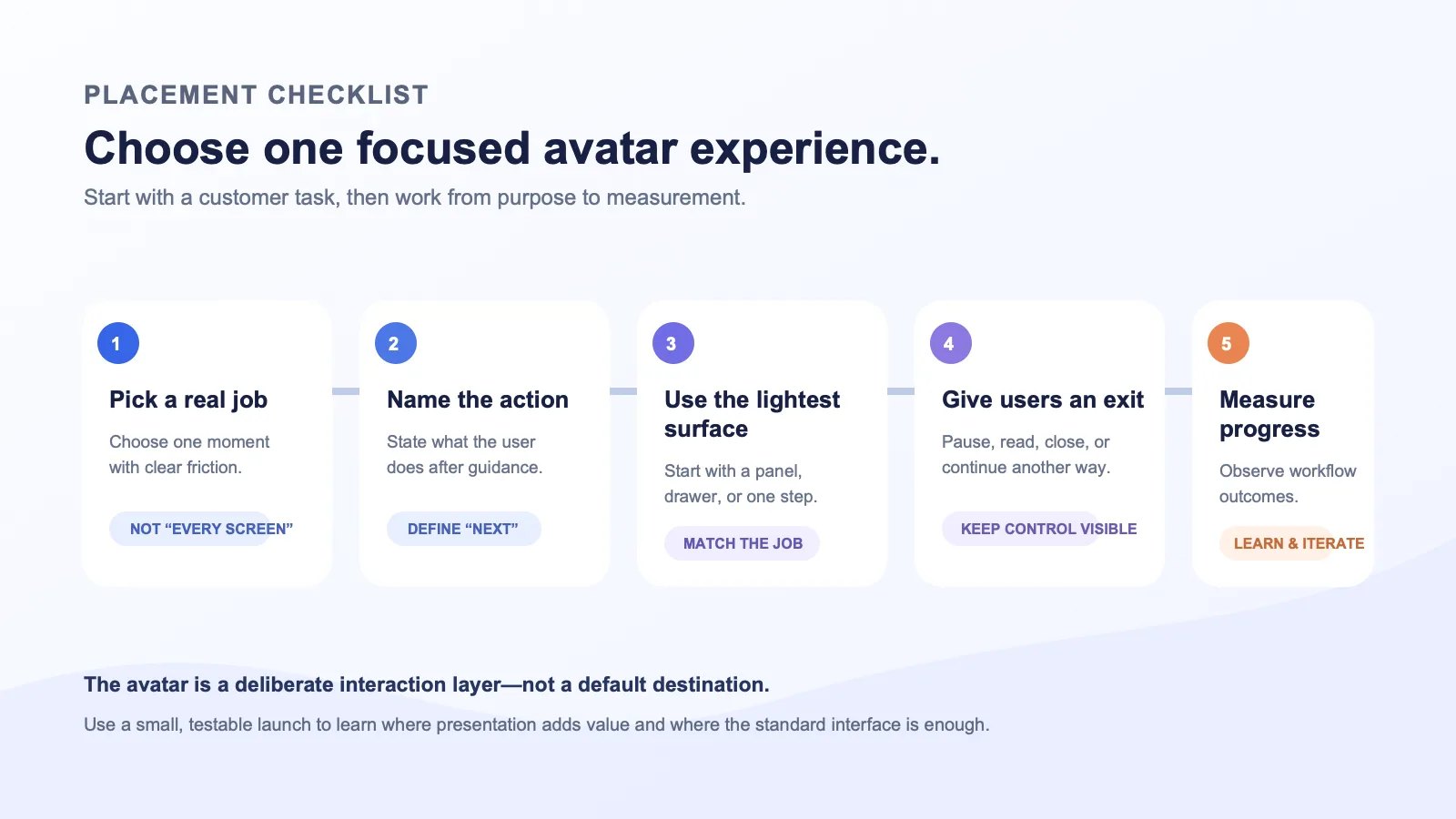
A simple placement decision process
Use this sequence to narrow a broad idea into a testable launch:
1. Map one customer moment
Choose one workflow stage with a known goal and known friction. Avoid starting with a homepage avatar or a global assistant.
2. Write the user’s next action
Define what the user should be able to do after the interaction. For example: complete a configuration, choose a plan of action, submit a request, or begin a practice scenario.
3. Pick the lightest useful surface
Use an inline prompt, drawer, or step-level panel before committing to a full-screen experience. A larger presentation should be earned by the task, not by the novelty of the avatar.
4. Design exit paths before launch
Every avatar experience needs a visible close control and an alternative way to proceed. Consider text guidance, standard product navigation, or a support/human handoff path where that is appropriate for your product.
5. Instrument the workflow, not just the avatar
Track whether users opened the experience, reached the intended next step, abandoned the workflow, used a fallback, or asked for help. This lets the team learn whether the placement is solving a real problem.
Design controls that protect the user’s attention
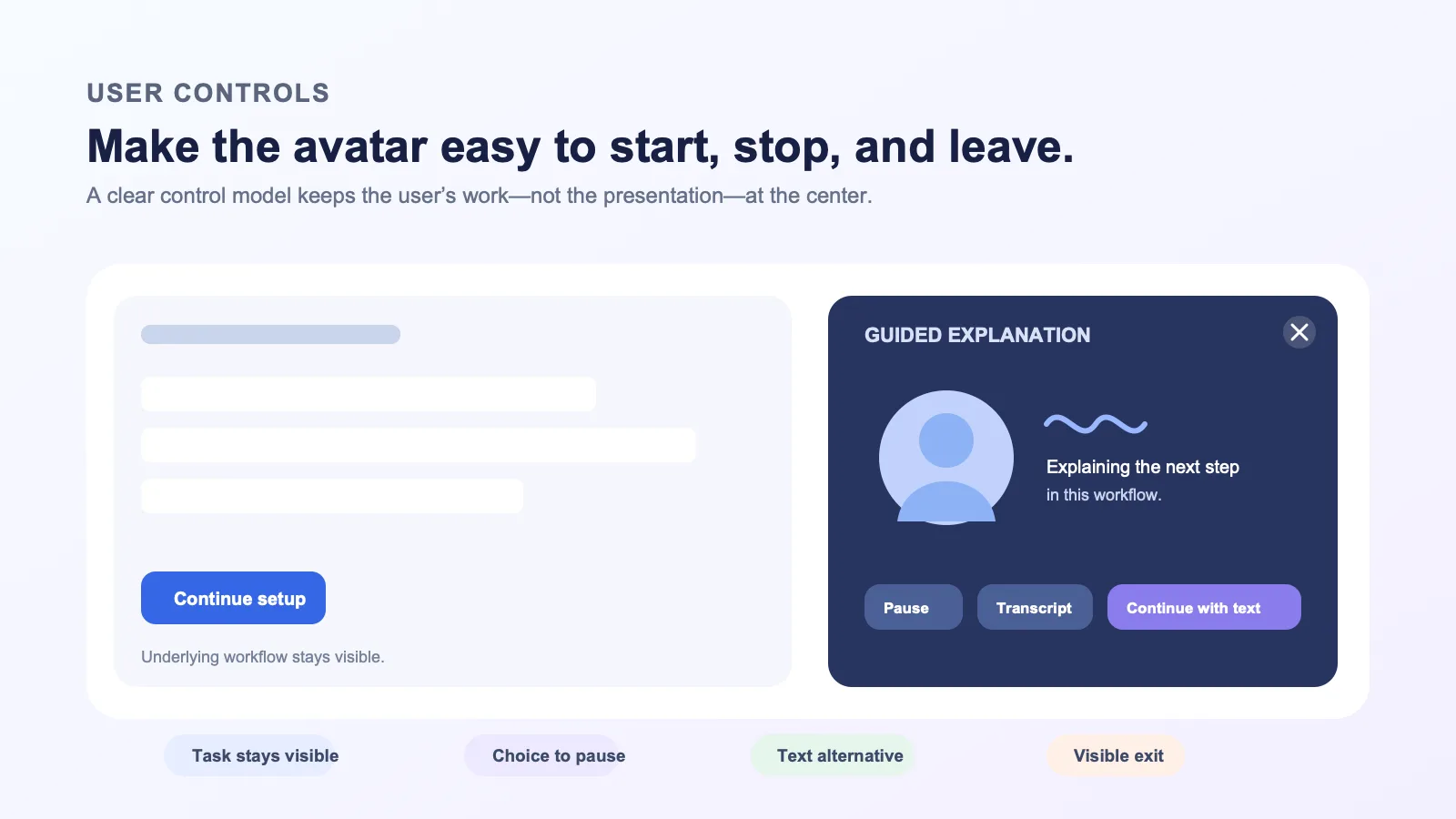
An avatar interface should feel intentional, not invasive. At minimum, make the following visible and predictable:
| Control or state | Why it matters |
|---|---|
| Clear start point | Users know what the avatar will help with before audio or motion begins. |
| Pause or interrupt | Users can stop a response when they already have the answer or need to move on. |
| Text or transcript path | Users can read, search, or continue without relying on audio. |
| Close and return | Users can leave without losing the underlying task. |
| Next-action link | The experience ends with a useful product action instead of an open-ended conversation. |
Treat these as core interaction design, not optional polish. An avatar is a presentation layer inside a business product; the user’s work remains the priority.
FAQ
Should an AI avatar appear on every page of a SaaS product?
Usually not. Start with a specific task where a visible, spoken explanation or practice interaction is more useful than the standard UI. A persistent global surface should be justified by clear, repeatable user value.
Is an AI avatar the same thing as the AI agent in my product?
No. Your application can use an agent, knowledge base, tools, permissions, ASR, LLM, and TTS to decide what should happen. Spatius’ role is to turn avatar speech audio into motion data and render the avatar through AvatarKit on the client, according to its documented architecture. Read the docs map.
Should the avatar be a full-screen experience or a side panel?
Choose the smallest presentation that lets the user complete the job. A full-screen experience can suit deliberate practice or a guided session; a panel or embedded step often works better when users need to keep the underlying workflow in view.
What should happen if the user does not want to use the avatar?
They should be able to continue through the product using the standard UI and an accessible text or support path. The avatar should be an intentional option, not the only route through a workflow.
How do we pick an integration approach?
Start with the experience and your application architecture, then review the documented options for Direct Mode, LiveKit Agents, Agora Convo AI, and Backend Mode. Your team should select the route that fits the systems it already owns.
Put the avatar where it has a job to do
The strongest AI avatar experiences do not compete with the product interface. They appear at a clear moment, help the user make progress, and then get out of the way. Start small: choose one workflow, one placement pattern, one set of controls, and one next action to measure.
If you are evaluating how a real-time avatar layer could fit into your product experience, request a Spatius demo.